Solution architecture
at speed, with assurance.

ArchNGN grounds your teams and AI agents in a live model of your estate and standards, so designs conform from the first draft. Then it gates every change before it ships.

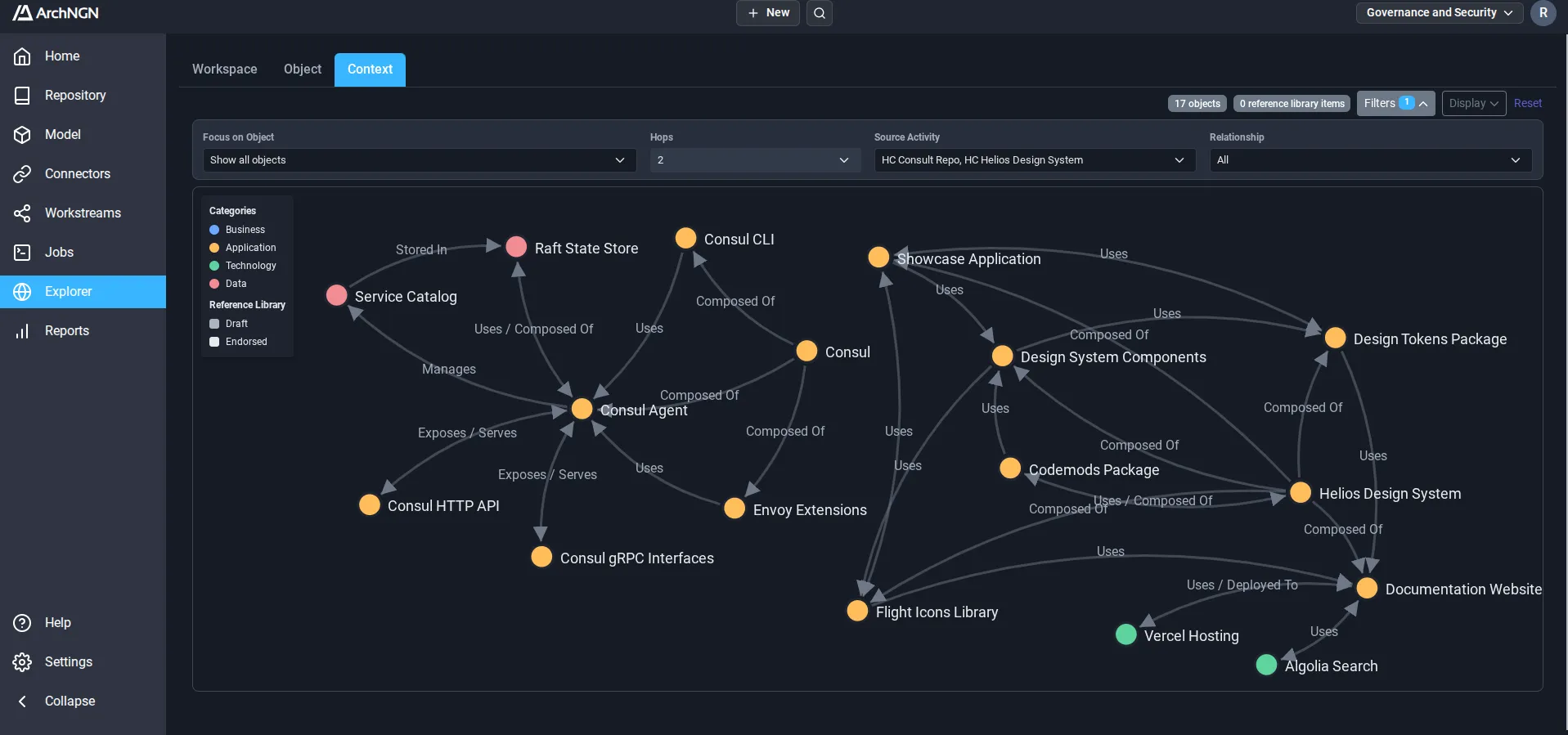
app.archngn.com / explorer / context
ArchNGN context explorer showing systems, services and the relationships between them

Writing code got faster.
Architecture and design assurance didn't.

No clear view of what's built

What's running and what was designed drift apart, and it's hard to show where.

Design takes too long

Before a design can be written, architects and solution designers spend days tracking down the standards, patterns and existing systems that apply.

Testing takes the design on trust

Pipelines test that code works. The design is assumed to be approved and right, so the build is never checked against it or your standards. Drift turns up at cutover or in production.

ArchNGN is the assurance layer
built for the speed and scale of AI.

See what's actually built

Connect the systems your teams already work in. ArchNGN builds one live model of what is deployed and what was designed, with its interfaces, data and the standards that apply, and keeps it current as they change.

  • Read-only credentials you control
  • No agents, no migration and nothing written back
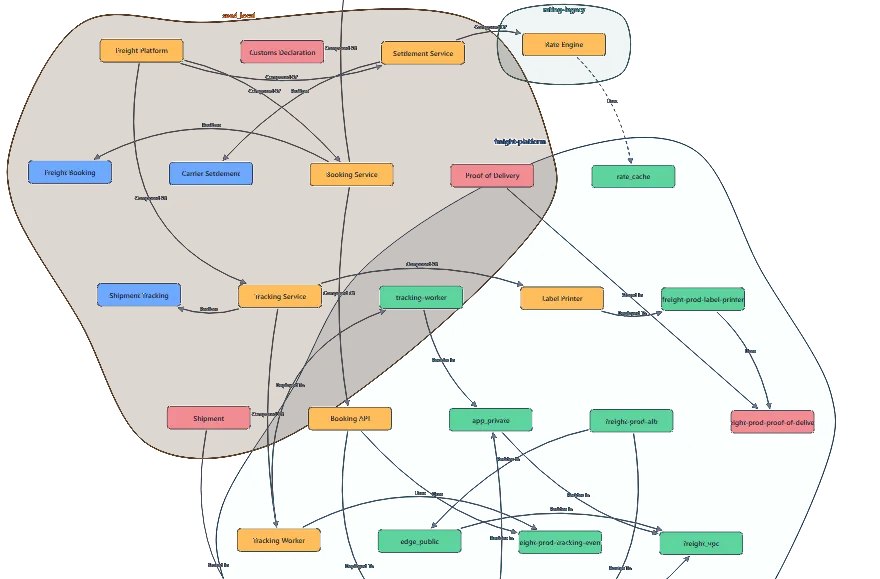
ArchNGN explorer showing a freight and logistics estate: applications, data and the cloud resources they run on, grouped by source

Every design and change checked against your standards

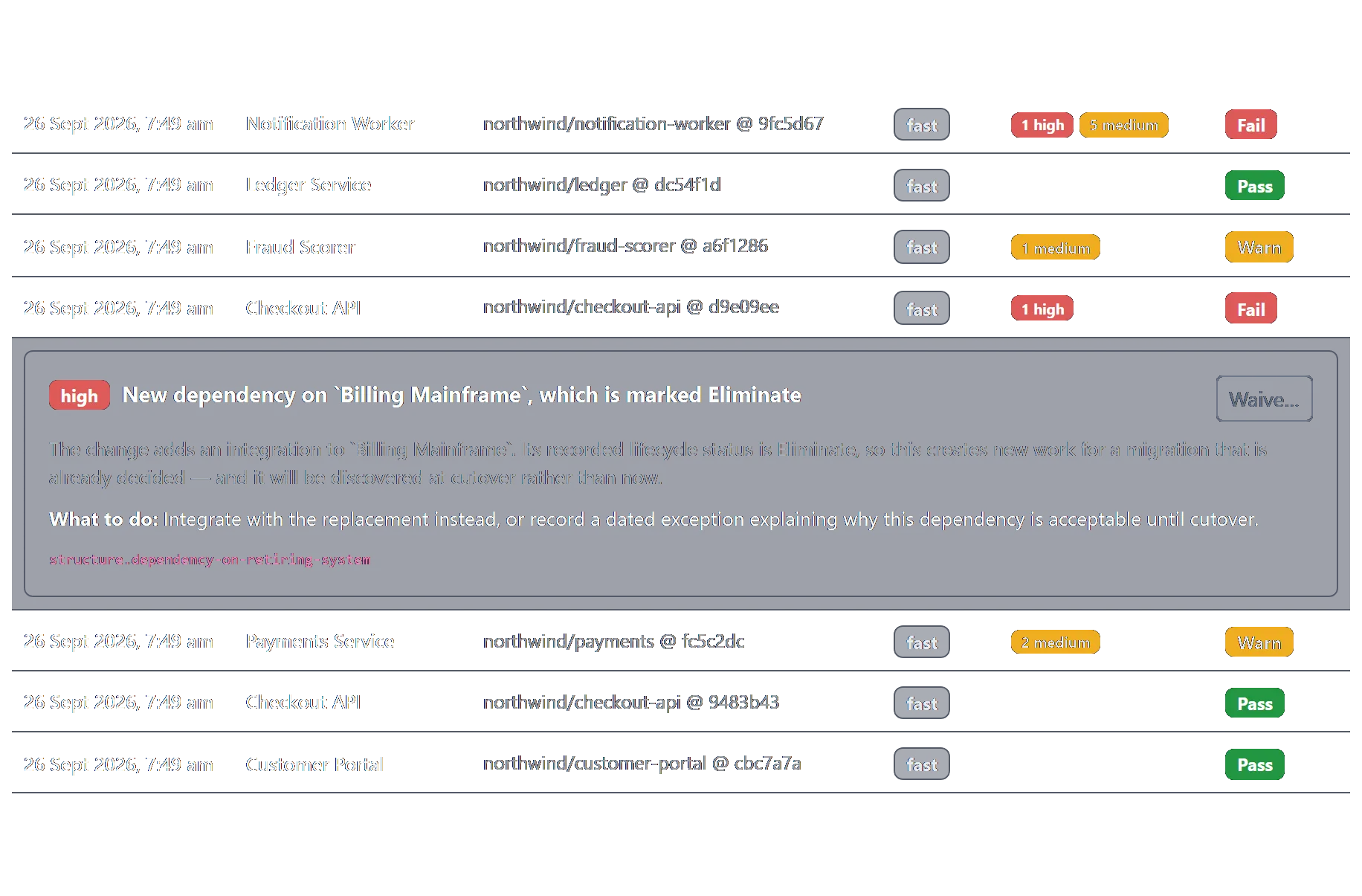
Designs are checked as they are drafted. Coding agents check their work over MCP before they write, from the first prototype. The same checks run in your pipeline, fail the build on an enforced standard, and put each finding on the line that caused it.

  • The same check for agents and pipelines
  • A build never fails on an AI judgement
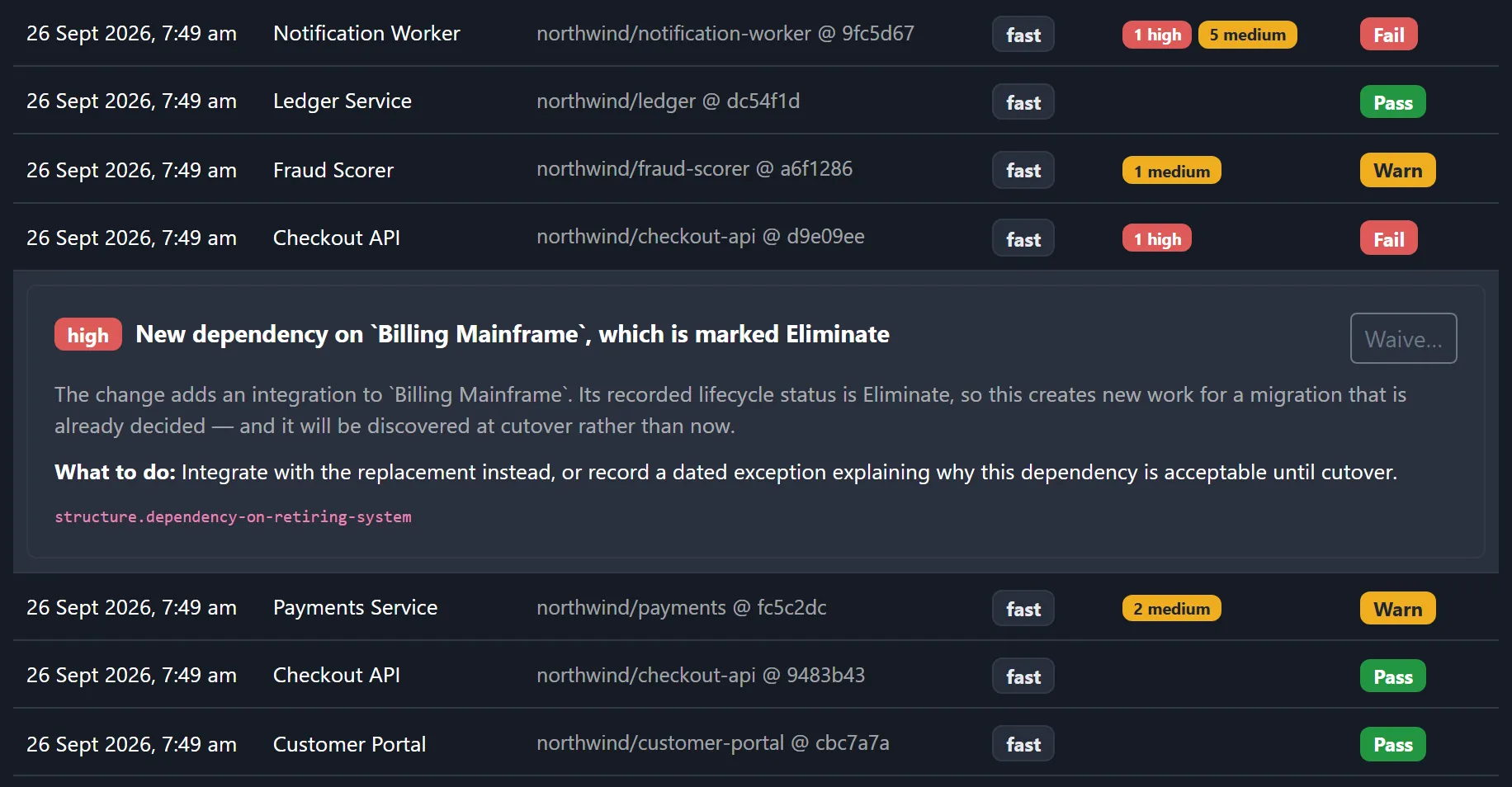
Recorded design checks with pass, warn and fail verdicts, one failure opened to show a new dependency on a system marked Eliminate and what to do instead

Every check leaves evidence behind

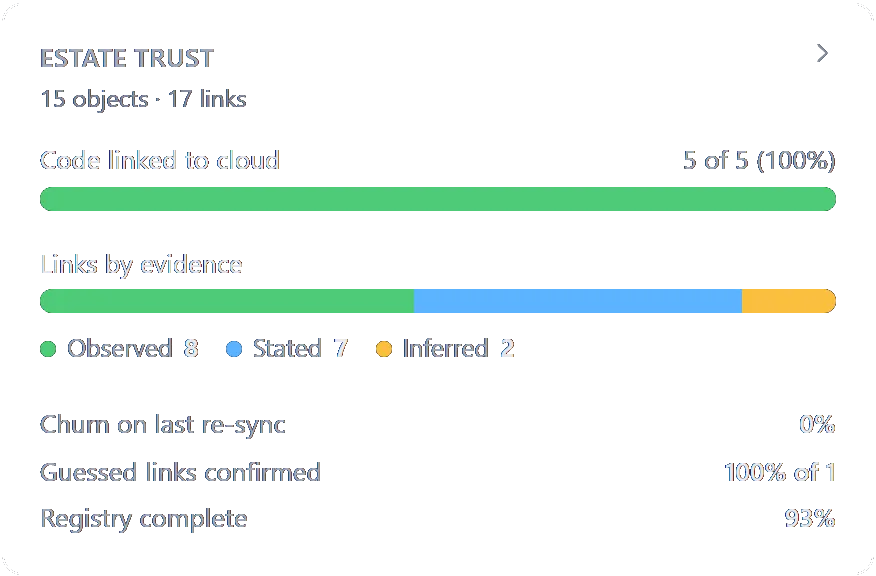
Every check is recorded with what drifted, and every waiver with who accepted it and why. When an auditor asks, the answer is already there.

  • Findings cite your own standard
  • Gathered as the work happens
Estate trust: code linked to cloud, links by evidence (observed, stated, inferred), churn on the last re-sync and guessed links confirmed

What changes for your teams.

Designs in minutes, not days

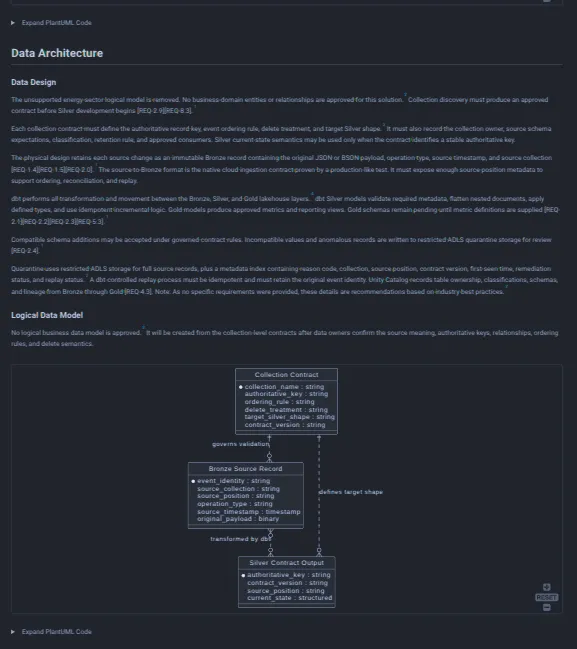
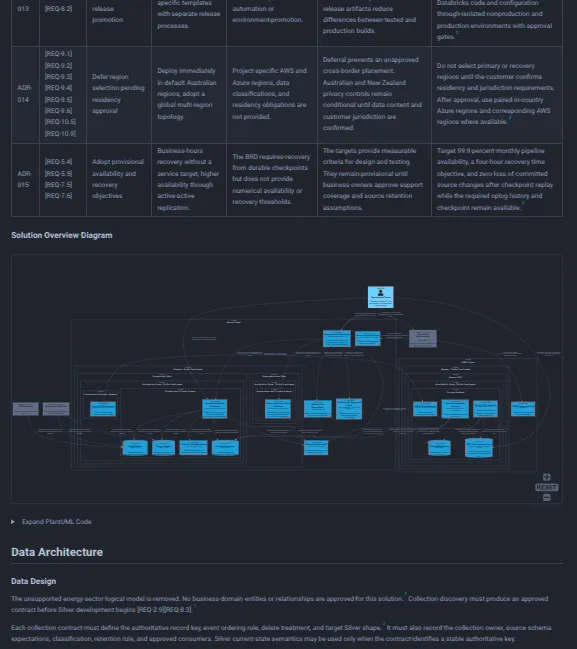
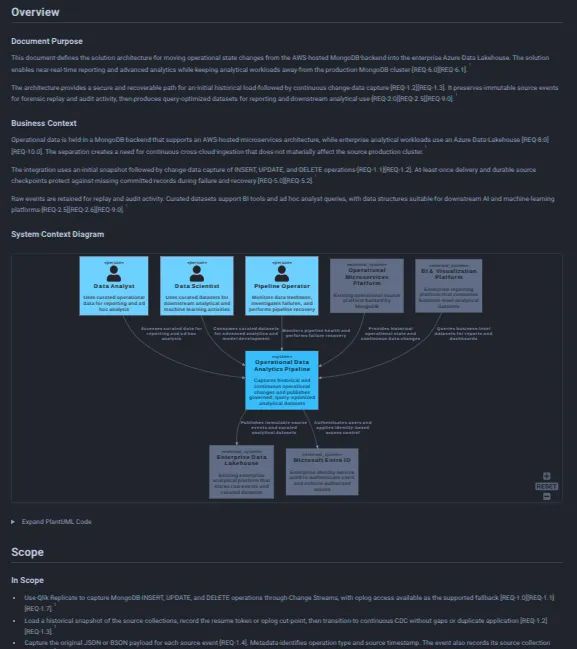
Pick the systems involved and add your requirements. ArchNGN brings in the standards, patterns and existing systems that apply, so no one has to go looking for them, and drafts the solution design, diagrams included. Current-state documents come straight from what is deployed. Days of writing become minutes of review.

  • Every claim traced to the requirement and systems behind it
  • Matched to your standards and existing systems
  • Your architect reviews and signs off
Generated design document: interface and dependency map
Generated design document: component design and component diagram
Generated design document: overview, business context and system context diagram
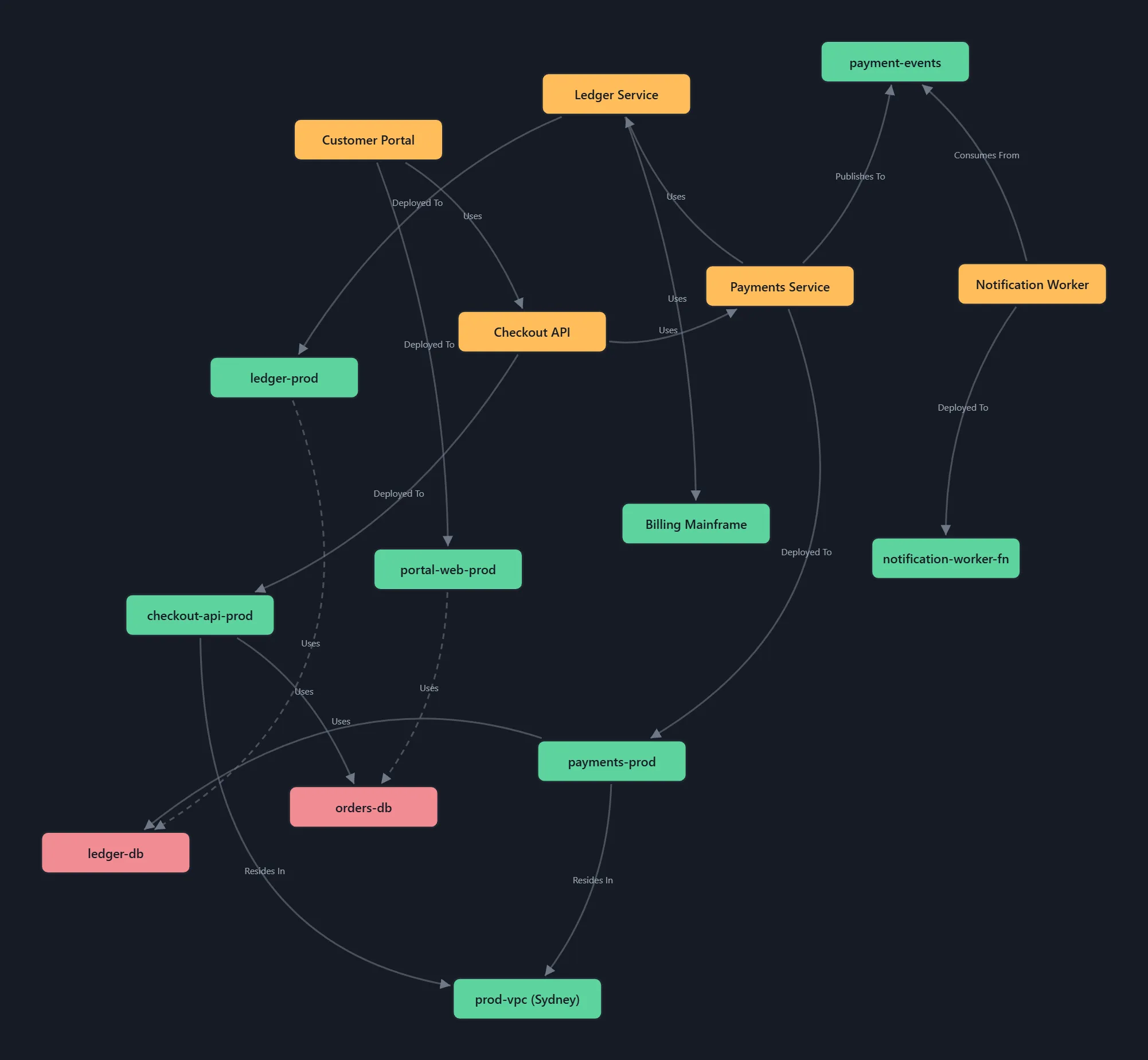
ArchNGN Explorer: code services linked to the cloud resources they are deployed to, data stores, and inferred links drawn dashed

See what's really built

Code linked to the cloud it runs on, with every interface and data store. Each link says whether it was observed, stated or inferred, and drift from the signed-off design shows up in the check that caused it.

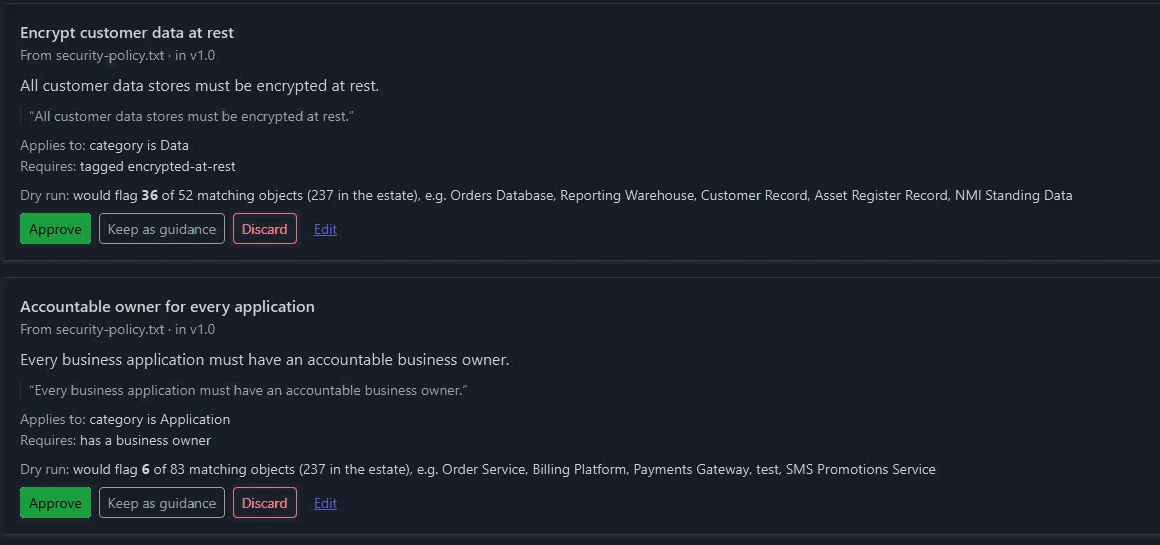
Checks drafted from a security policy, each with the sentence it came from and what it would flag in the estate today

Your standards become checks

Upload the policies you already have, as Word, PDF or text, or start from ISO 27001, SOC 2, NIST CSF, GDPR and more. ArchNGN drafts a check for each requirement, and nothing runs until an architect approves it. Checks start advisory and block only once you enforce them.

Recorded design checks with pass, warn and fail verdicts, one failure opened to show a new dependency on a system marked Eliminate

Changes checked in the pipeline

Every pull request is checked against your standards and the live model, alongside your tests. Enforced standards fail the build, and each finding names the rule, the system it hit and what to do instead. Works with GitHub Actions, GitLab CI and Azure DevOps.

Coding agent
  1. Asks for context
  2. Standards, patterns and existing systems
  3. Sends its design for a check
  4. Findings, and how to fix them
ArchNGN

Repeats while the agent works. Every step is recorded.

Coding agents that follow your standards from day one

Agents use ArchNGN as a live architecture guide while they work, over MCP. Connect it to a prototype and it is built with your standards and existing systems in context, so it is ready for production sooner. Every check is recorded.
Connects to what you already run.

Start with read access to your repositories, or connect cloud accounts where there are none. Add documents from SharePoint or object storage. ArchNGN re-reads them as they change, so the model stays current without anyone maintaining it.

Browse connectors
GitHub
Azure DevOps
GitLab
AWS
GCP
Azure Cloud
AWS S3
GCP GCS
Azure Blob
API
MCP
Bitbucket
SharePoint
More coming soon

For the people accountable for what gets built.

The same underlying model, reached from four different starting points.

Engineering and architecture teams

Your coding agents build against approved patterns and existing systems, and you can show afterwards that what shipped conformed.

Consultancies

Cut discovery from weeks to days, and reuse your method and report formats across engagements.

Risk, audit and regulated industries

Findings that cite your own standard rather than a generic control number. Frameworks include ISO 27001, SOC 2, NIST CSF, GDPR, PCI DSS, HIPAA and DORA, with APRA CPS 234 and the Australian Privacy Principles for ANZ.

Due diligence and integration

Code scans cover the codebase. ArchNGN shows what's actually deployed and whether it matches the story you were told, from the diligence window into integration.

See it run against your own estate.

Connect one cloud account or repository in a working session, and see what ArchNGN finds, and what it generates from it.