How ArchNGN works.
ArchNGN keeps a live model of your estate from the systems your teams work in. Teams and their AI agents work from it, and every change is checked against it.
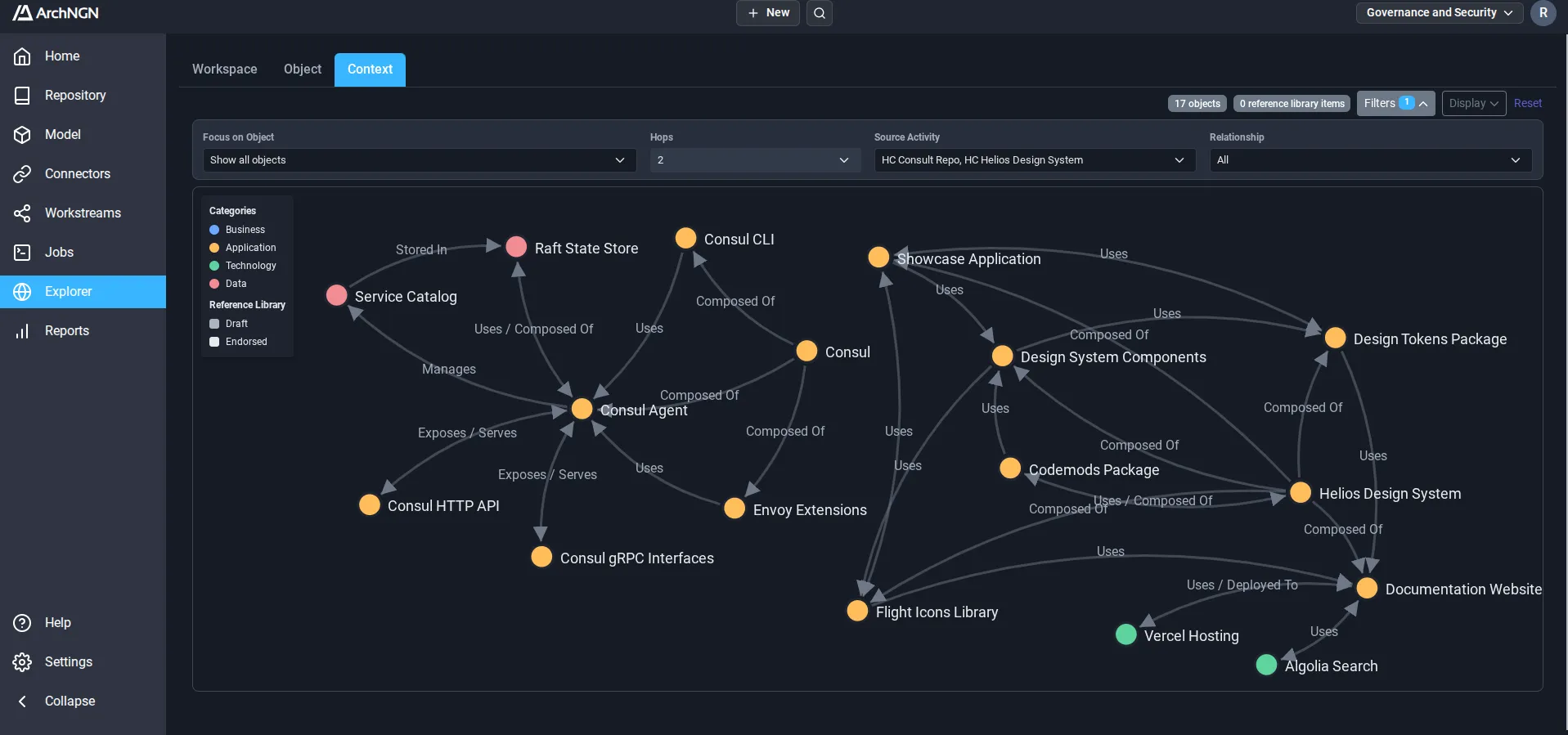
ArchNGN keeps a live model of your estate from the systems your teams work in. Teams and their AI agents work from it, and every change is checked against it.
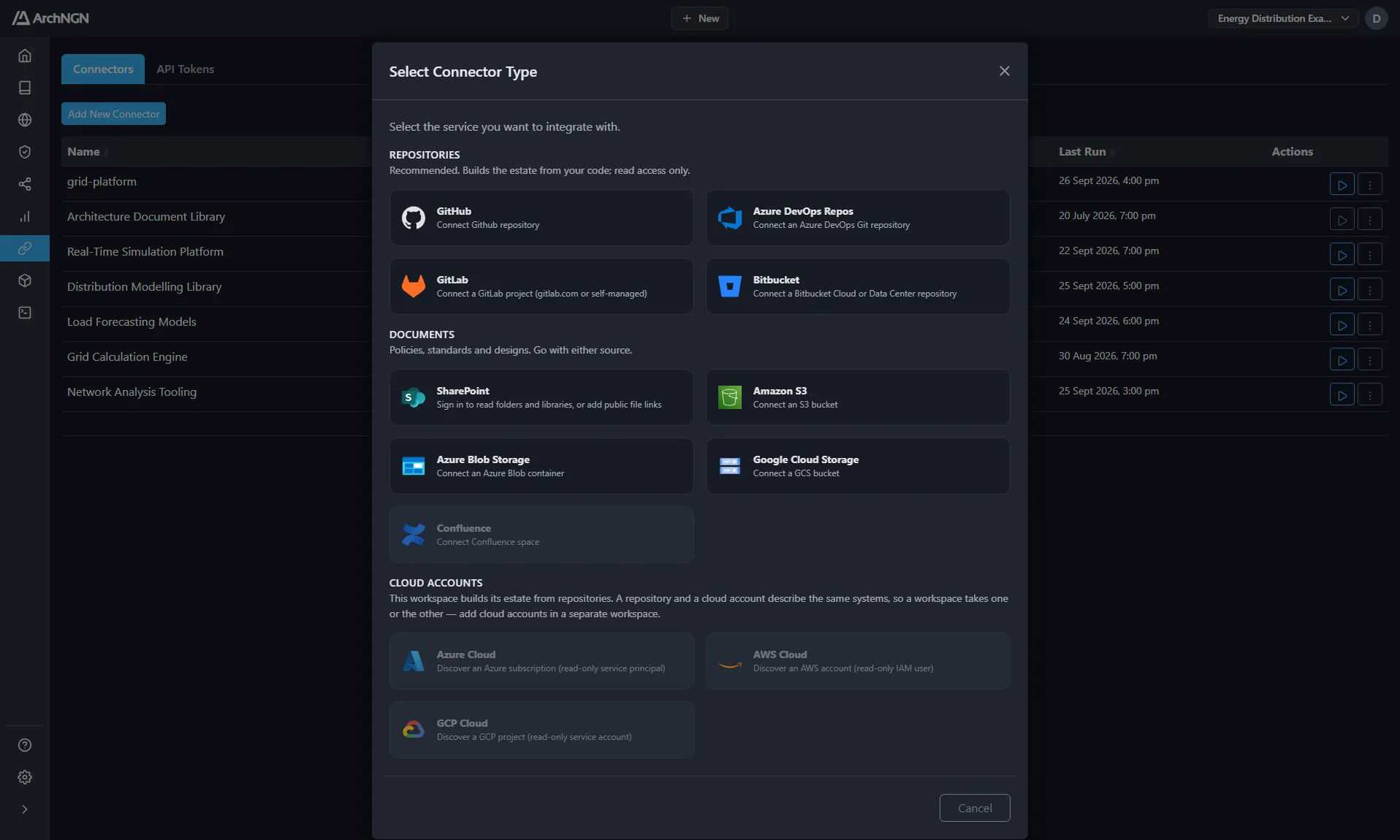
Code repositories on GitHub, GitLab, Bitbucket and Azure DevOps, AWS, Azure and Google Cloud accounts, object storage and SharePoint. Access is read-only, with no agents to deploy and nothing written back. Start with your repositories, or connect cloud accounts where there are none, and add the documents that describe them.
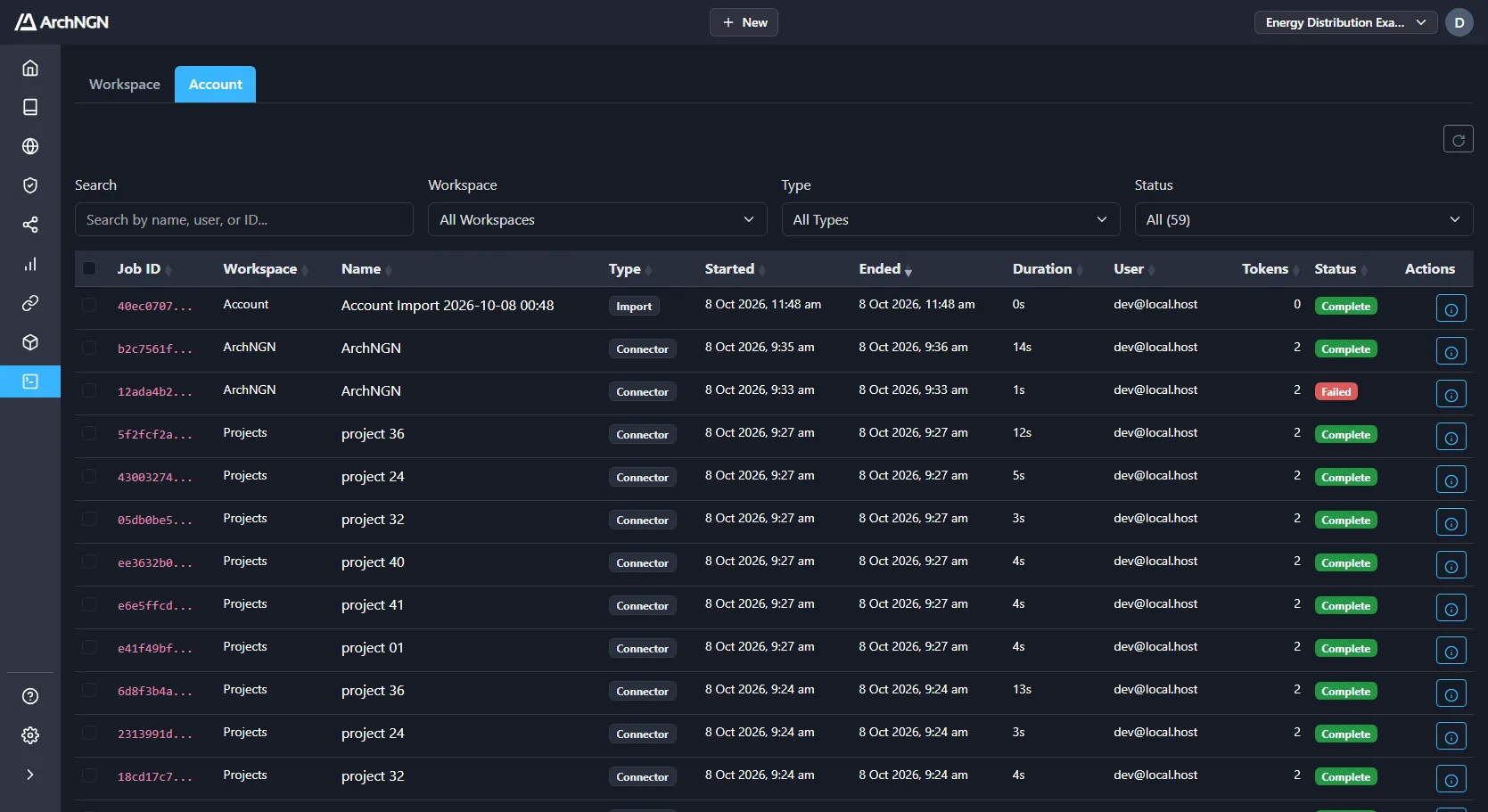
A one-time scan rots exactly like the architecture repository it replaced. Syncs run when your sources change or on a schedule you set, each as a tracked job you can follow step by step. Every run keeps its full history, so you can see what changed and when, and catch drift while it's still cheap to fix.
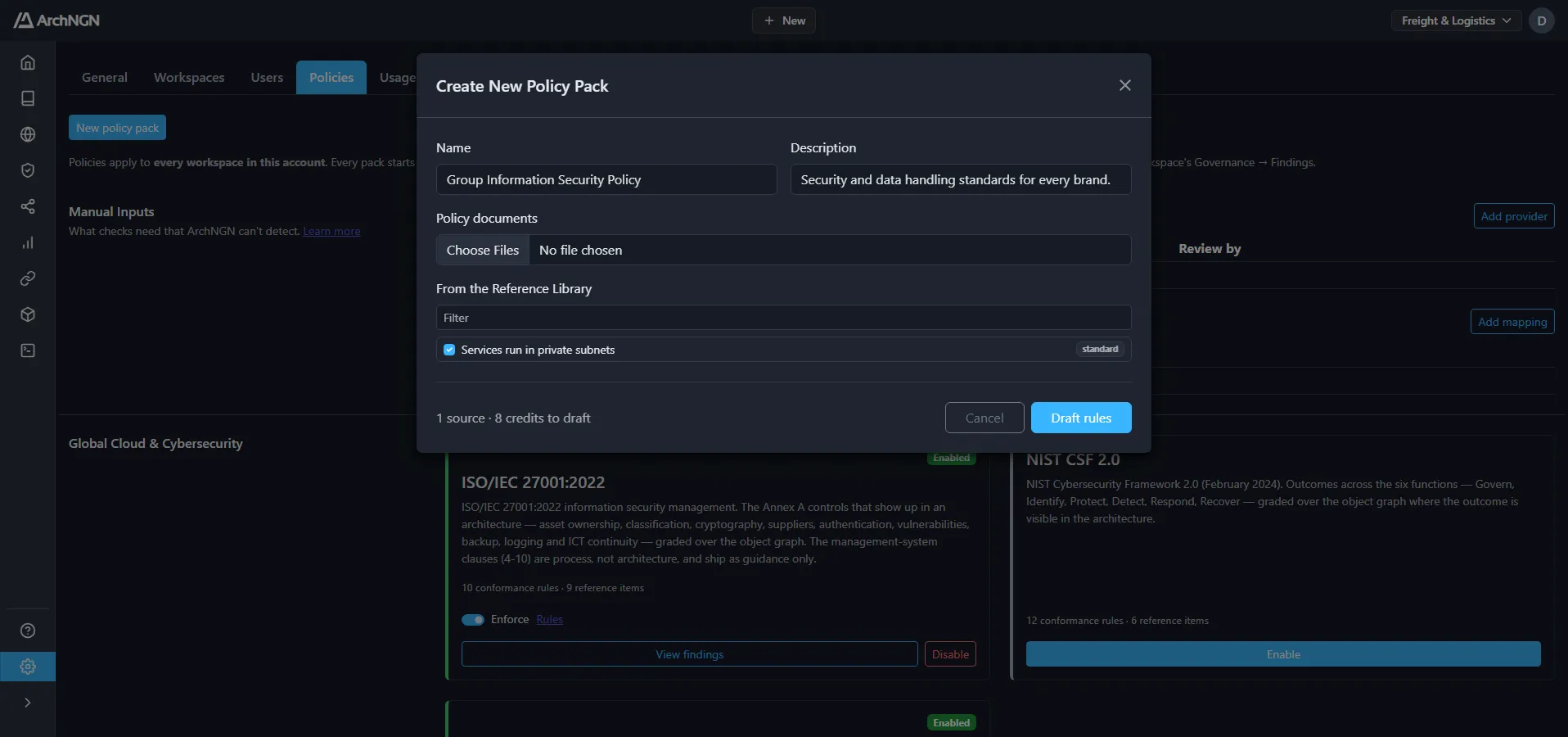
Upload the policies your organisation already has, as Word, PDF or plain text, or pick standards from the reference library. ArchNGN reads each one, finds the individual requirements, and drafts a check for every requirement it can test against your estate.
Requirements that need judgement stay as guidance, where design reviews and coding agents still read them.
Each draft shows the sentence it came from, the check in plain English, and what it would flag in your estate today. Approve it, edit it, or keep it as guidance. Nothing is checked until an architect approves it.
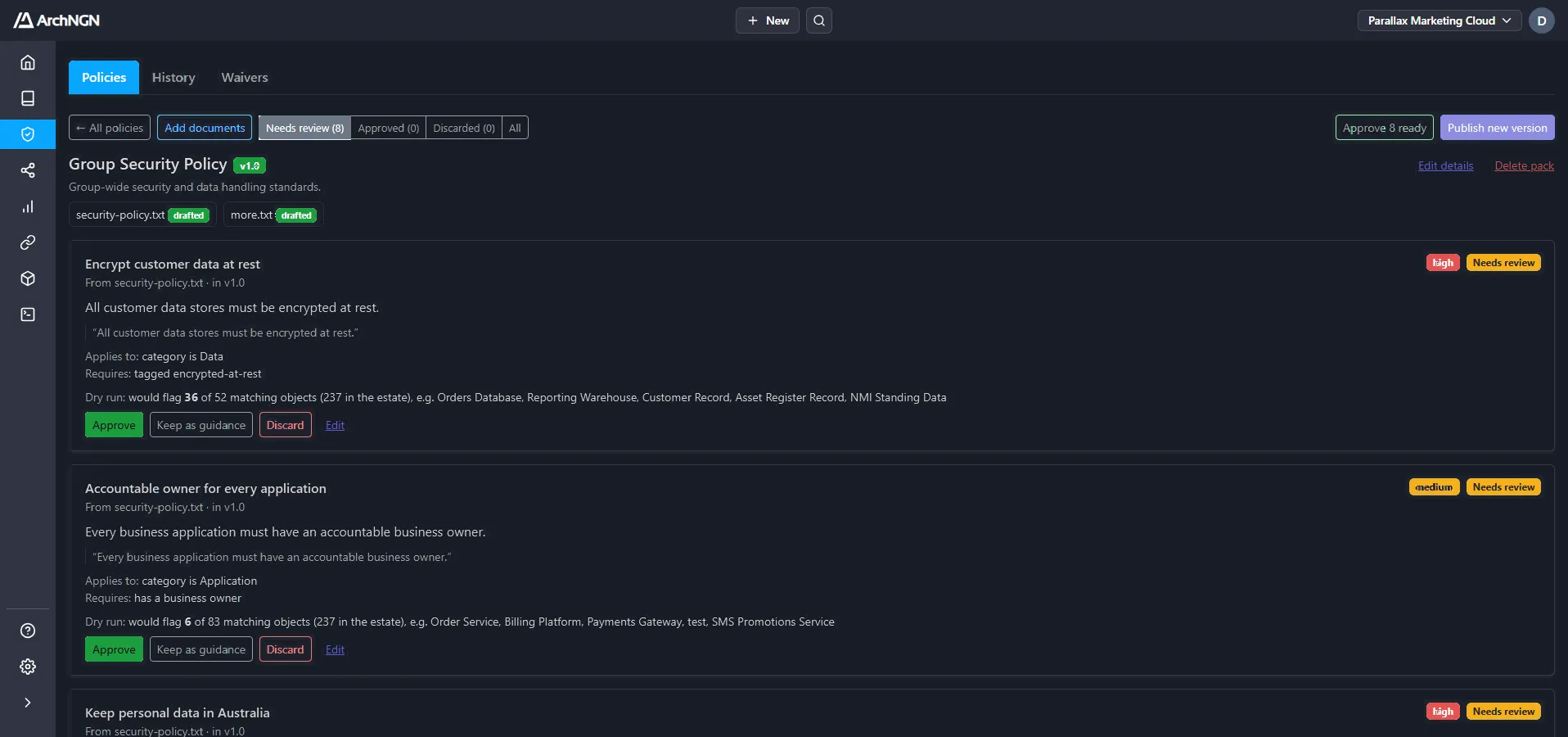
A published pack starts advisory: findings are reported and nothing is blocked. Switch the pack to enforce once the results are right, or enforce single checks and switch off the ones that don't apply.
Enforced standards stop non-conforming changes to the model and fail design checks in your pipeline unless the finding is waived.
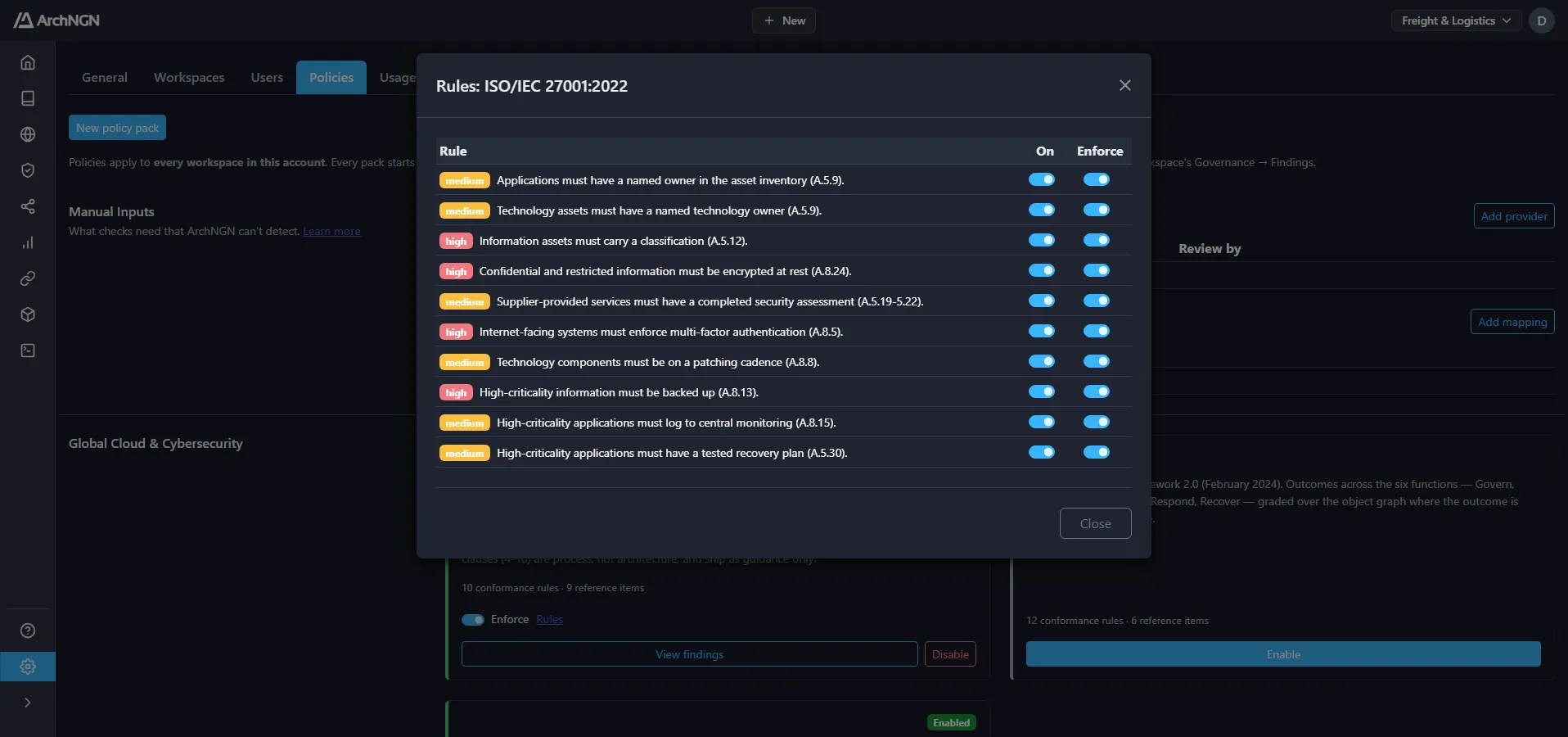
ISO 27001, SOC 2, NIST CSF 2.0, GDPR, the Australian Privacy Principles, PCI DSS, HIPAA, DORA and ISO 42001, written as checks and applied beside your own packs.
Every publish is a new version that never changes afterwards. Each finding names the check and the version that raised it.
Checks read facts recorded as tags, such as data residency or retention. Declare the tags your policies need, and one tag answers every pack that asks.
AI reads your documents and proposes checks. Published checks give the same answer for the same estate every time, so a build never fails on an AI judgement.
Coding and design agents use ArchNGN as a live architecture guide while they work. Over MCP they ask for the standards, patterns and existing systems that apply, then send their design back for a check before writing code, from the first prototype.
Pipelines run the same check through the API, so a design that passes the agent's check passes the build. Enforced standards fail the build, and each finding lands on the line that caused it.
- uses: archngn/archngn-app/integrations/github-action@main
  with:
    token: ${{ secrets.ARCHNGN_TOKEN }}
    diff-against: origin/${{ github.base_ref }}
    artifacts: |
      openapi=openapi.yaml
{
"name": "Integration Standard 4.2",
"intent": "Keep money movements reconcilable
within one transaction boundary.",
"rationale": "Payments reconciliation is audited
end-to-end; a synchronous call keeps
the ledger write inside the caller's
transaction.",
"owner": "Payments Architecture"
}CI/CD jobs and applications query the estate programmatically: dependencies, ownership, lifecycle status, metadata and the standards that apply, before a change ships.
AI coding agents work from the same model, standards and approved patterns your architects do. Each standard carries the business reason behind it, so an agent can tell when it applies.
Standards violations surface where they are cheapest to fix. A design check runs in your pipeline and annotates the offending line of the pull request.
Agents over MCP and pipelines over REST run one engine, so a design that passes in the agent passes in the build.
Design checks, the agents that ran them and the people who approved the result are all recorded against the objects they touched. That's the record you need when someone asks who signed off a system an assistant helped build.
It's gathered as the work happens, not reconstructed the week before an audit.
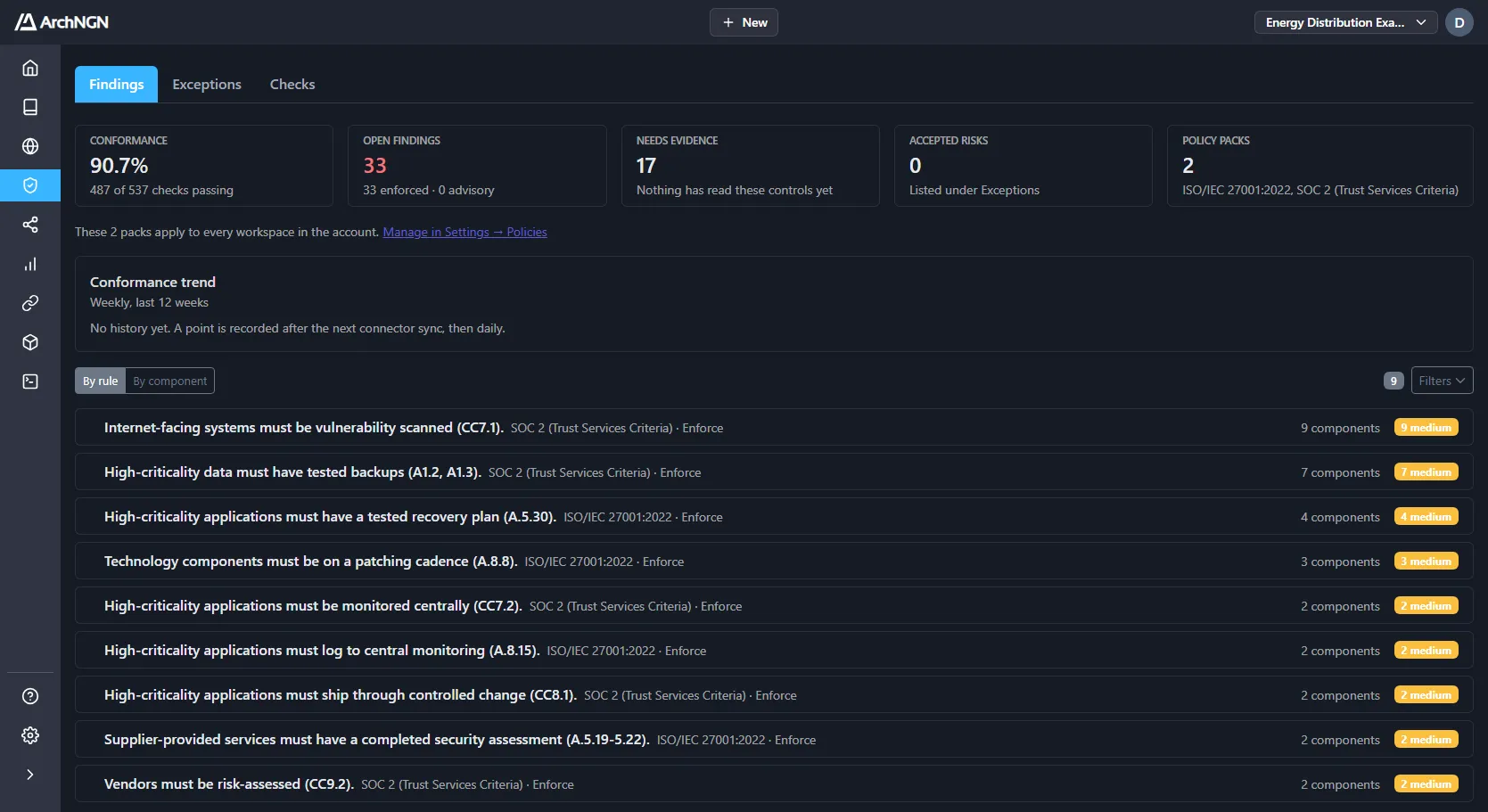
A durable record of what was scanned, generated, checked and approved, and an alert when the estate moves away from the design that was signed off.
Each finding names the standard, the version of the check and the system it hit, not a generic control number.
Every waiver records who accepted the risk and why, so an exception never disappears into a chat thread.
Each read by an API token or agent is recorded, so you can always answer what a credential saw.
Pick the systems involved and add your requirements. ArchNGN drafts the design, diagrams included, from your live model and your standards. Days of writing become minutes of review.
Every claim traces back to the requirement behind it and the systems it affects, so your architect can defend it in a review and sign it off with confidence.
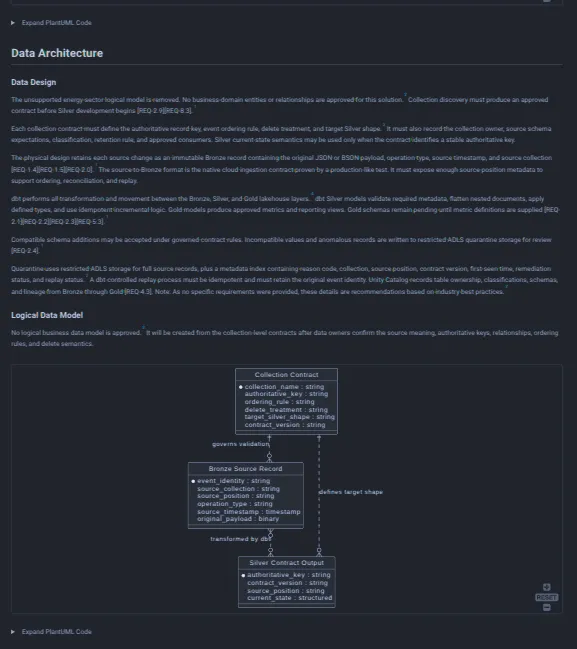
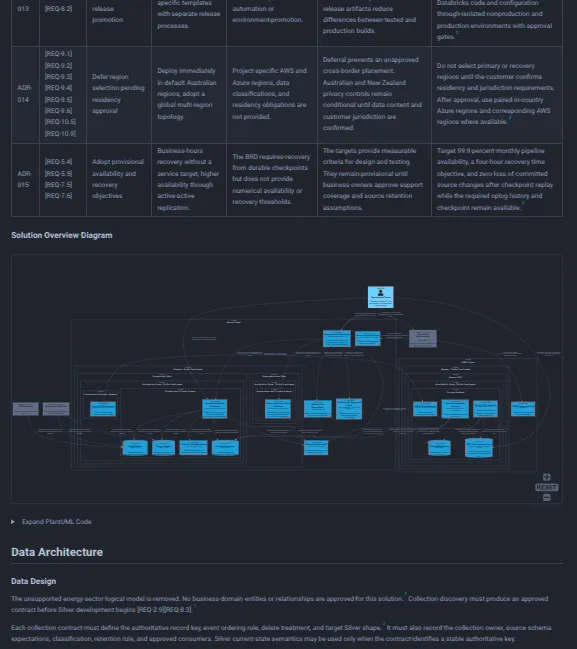
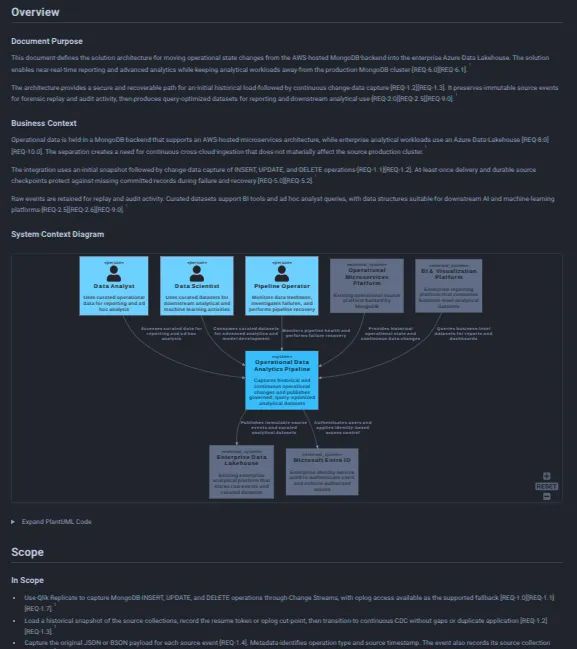
Generate a technology design from requirements, standards, and existing objects.
Extract objects, associations, and diagrams from existing documentation.
Produce implementation-ready documentation from an architecture model.
Evaluate a design against your internal standards, a requirement set, or a framework overlay.
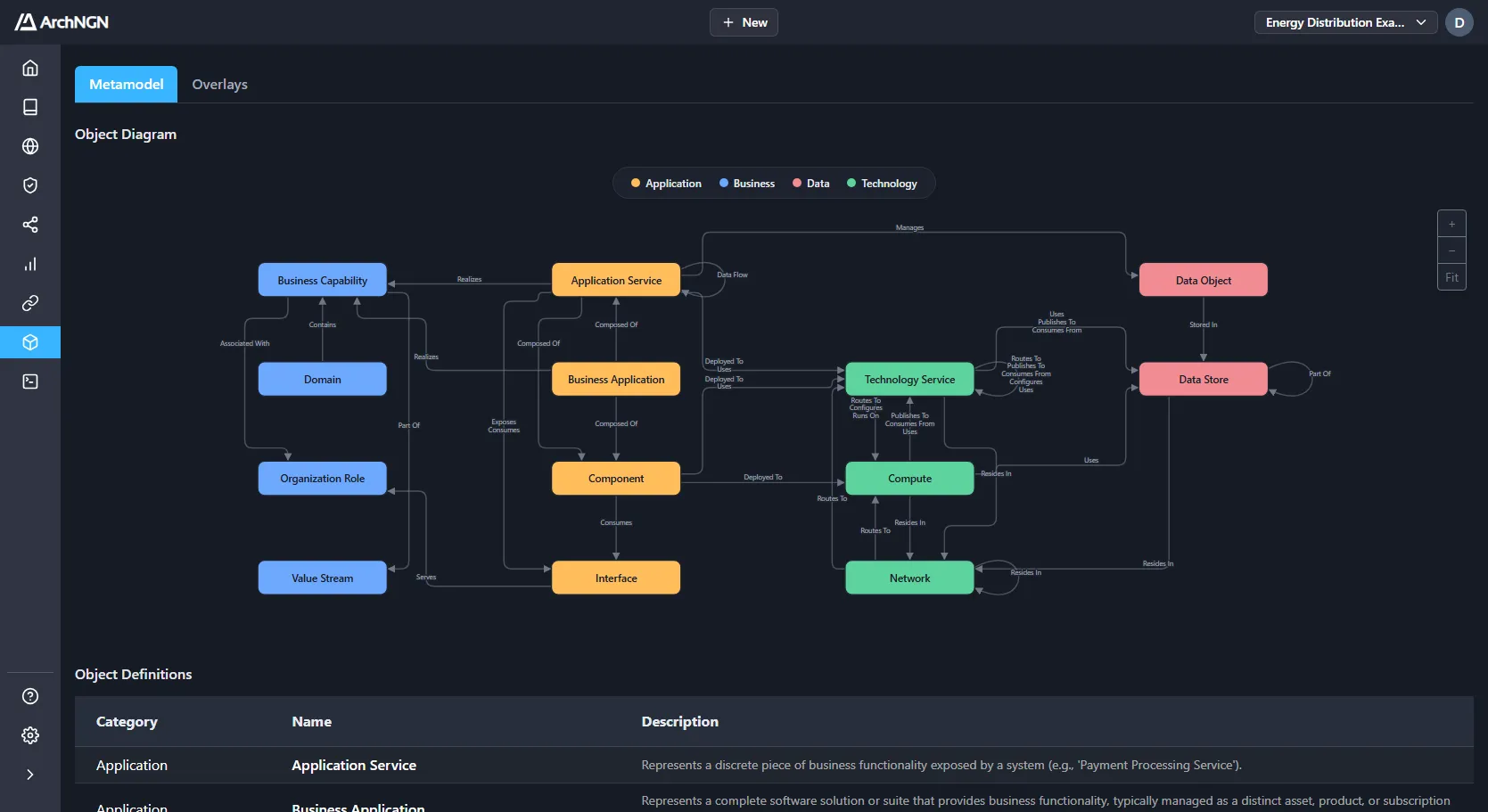
ArchNGN's metamodel is built around your actual estate. Use your own object types, attributes and relationships, start from framework overlays such as TOGAF, ArchiMate and UAF, or import structures from tools like LeanIX. Overlays apply per account, so one model serves many estates without forking.
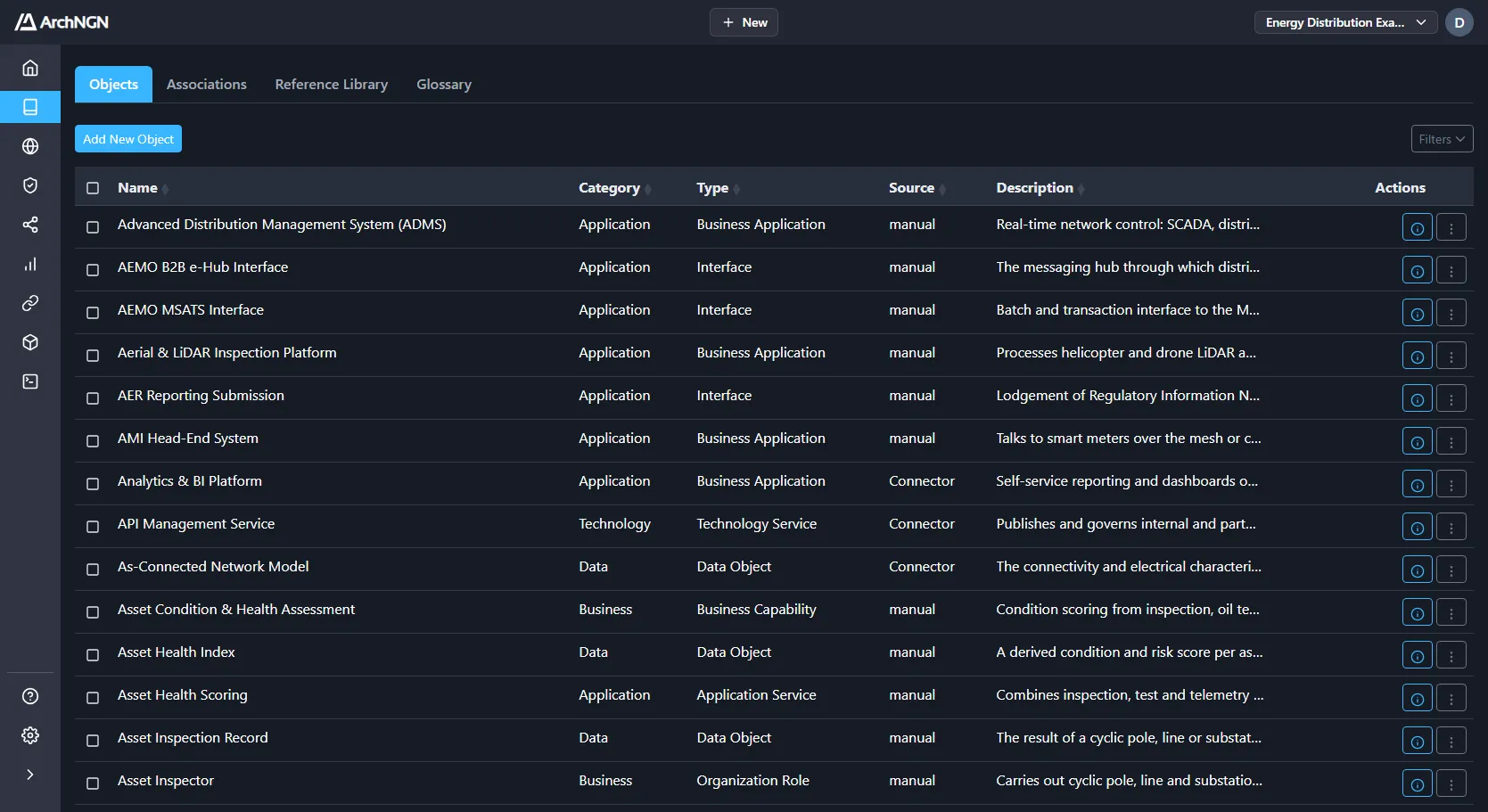
Keep applications, technologies, capabilities and processes in one catalogue. Every object carries its relationships, owners, lifecycle and dependencies, so a check can cite the thing it failed on rather than a control number. Bulk edit, filter and export without the admin overhead.
Automation workflows, coding agents over MCP and delivery pipelines over REST all read the same model. Every query resolves the same relationships and standards, so an architect and an agent never work from different versions of the estate.
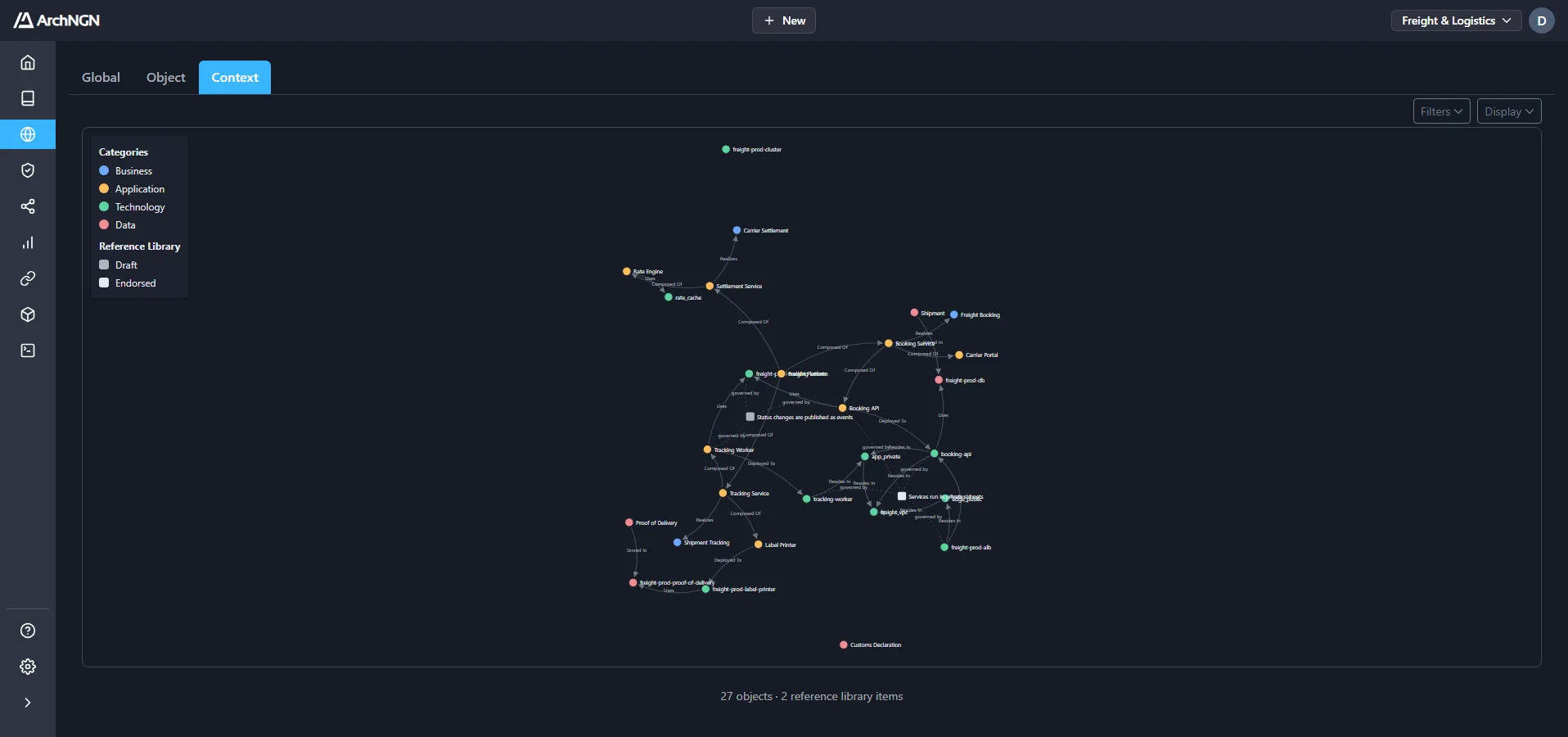
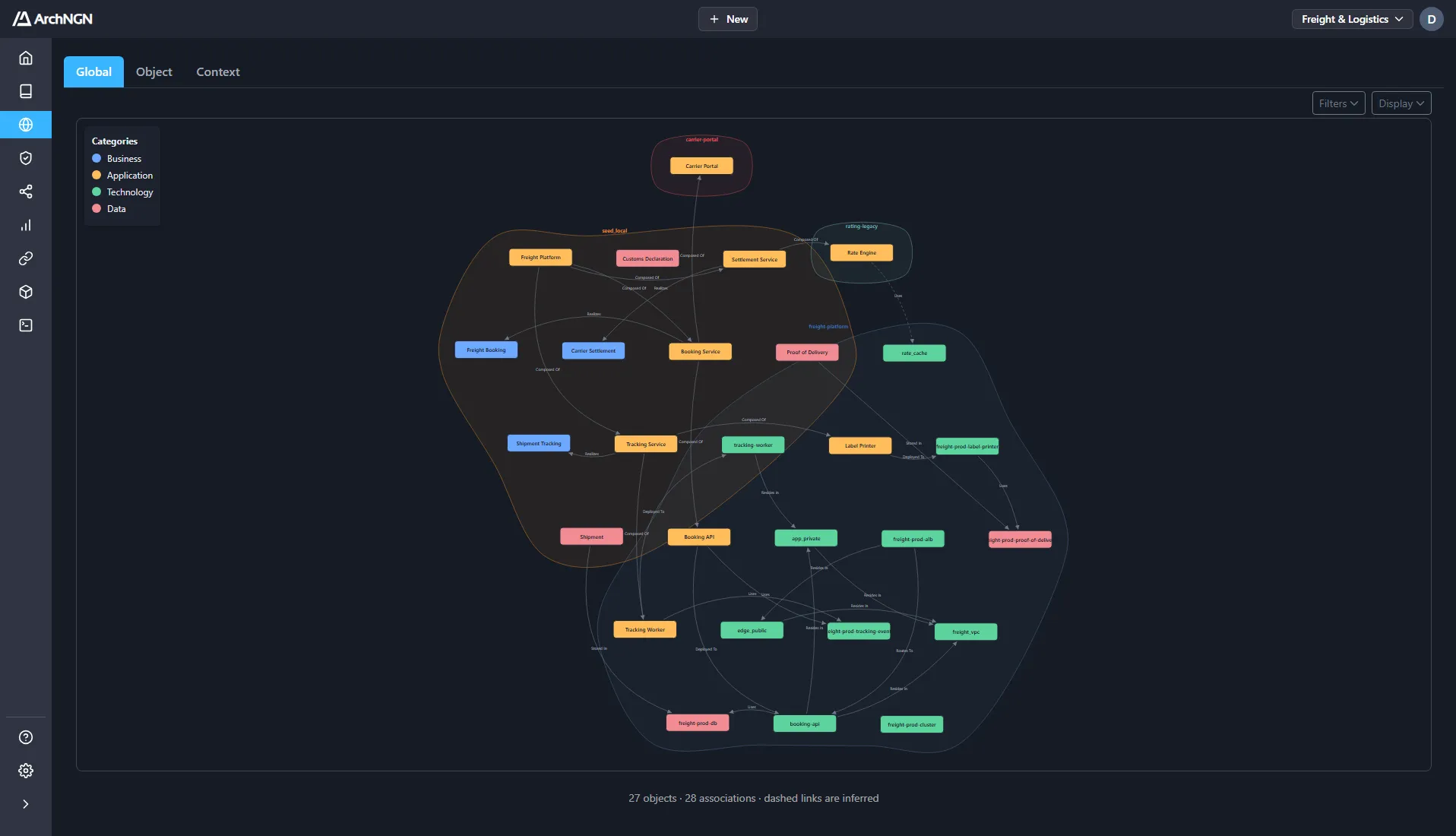
The workspace explorer maps your estate as nodes and links. Follow a dependency through to the systems it touches, or find the point where what was built diverged from the pattern it was supposed to follow.
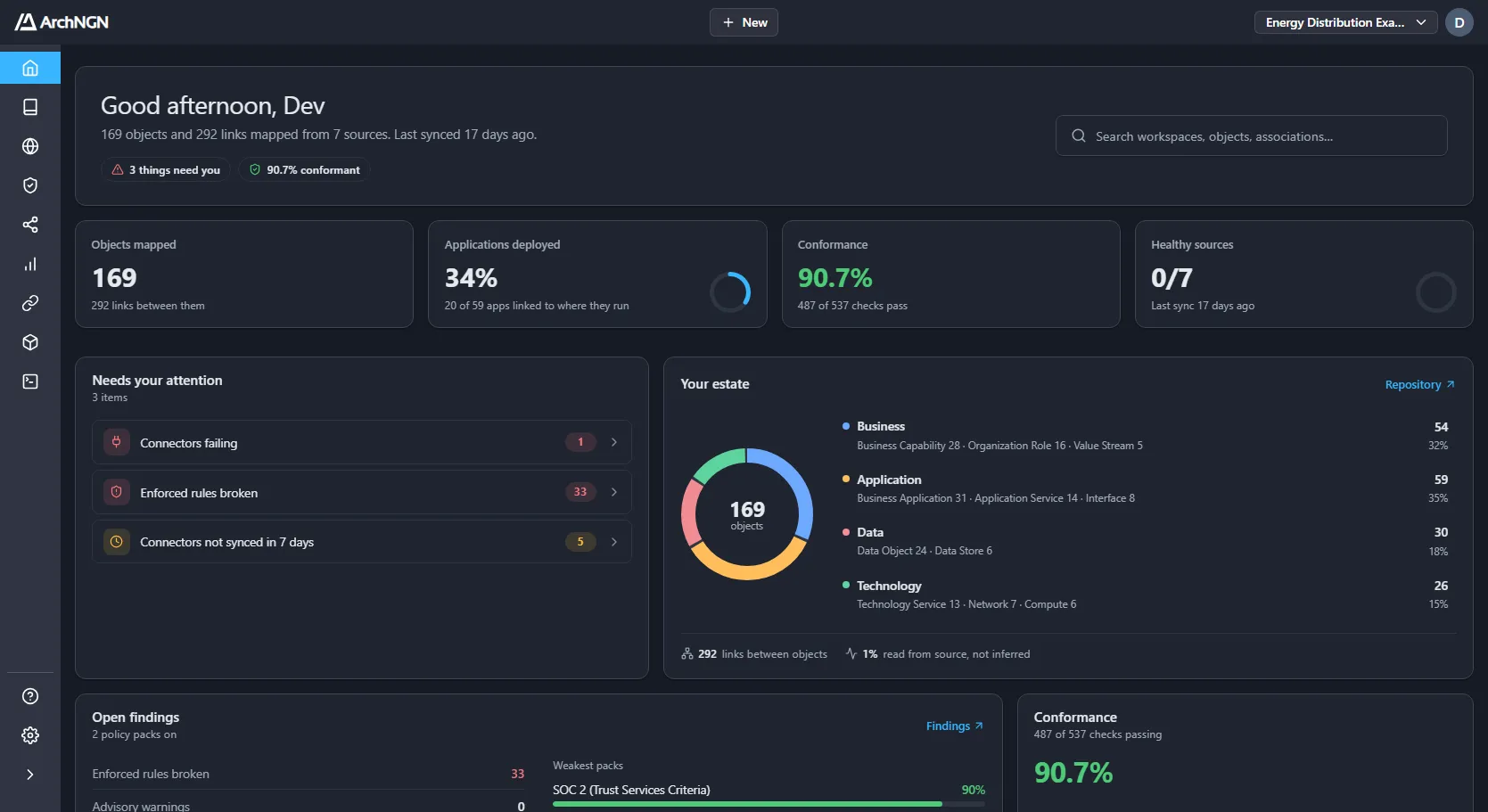
A live snapshot of the estate, including the parts of it no standard currently reaches. Knowing which systems have never been checked is usually more useful than another view of the ones that have.
Connect one cloud account or repository in a working session, and see what ArchNGN finds, and what it generates from it.