Glossary
The Glossary is the workspace’s shared vocabulary: the business and technical terms that appear across your model, what each one means, and where it was seen. Everyone, and every AI step, works from the same definitions.
Open it from Repository → Glossary.
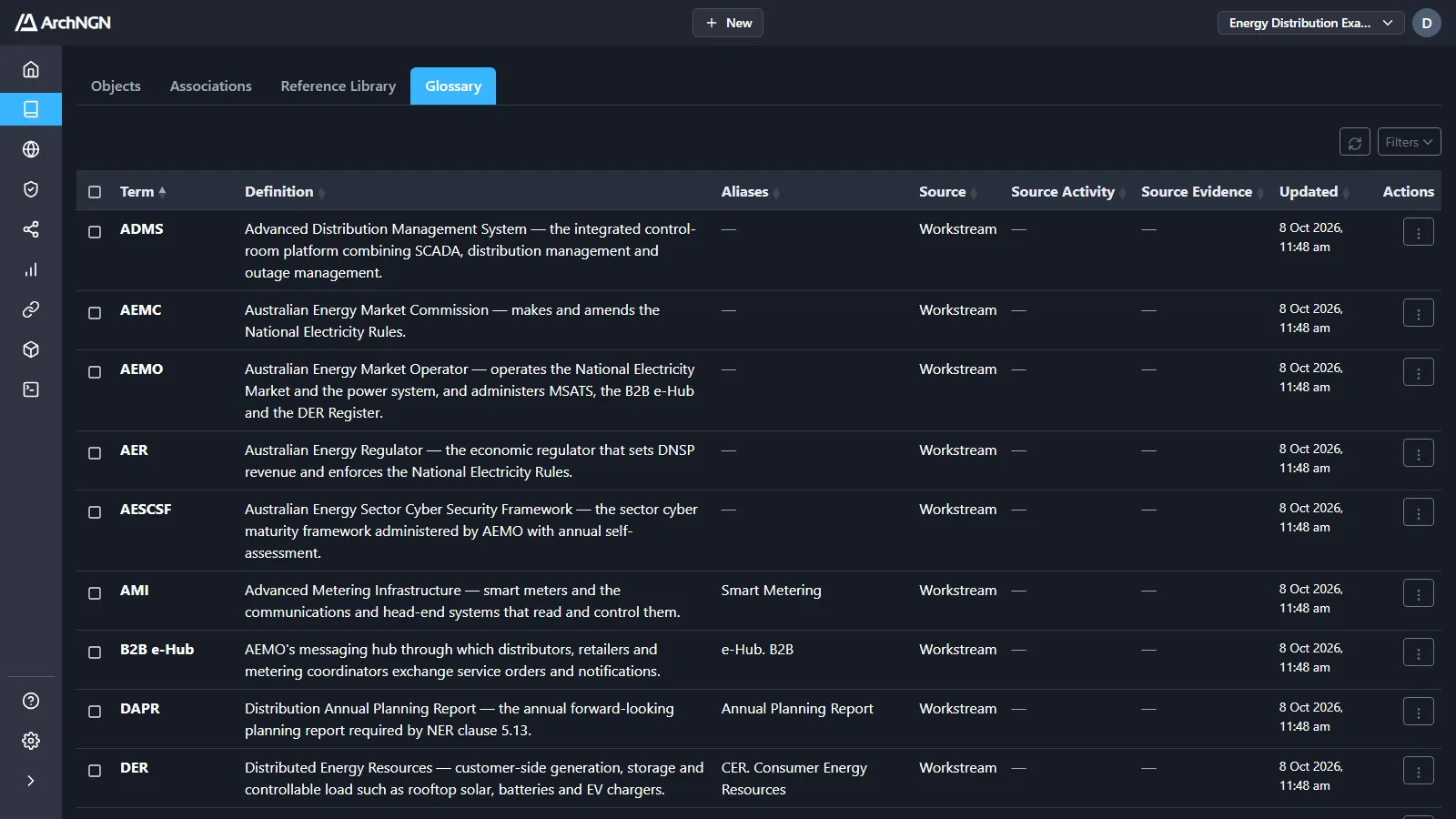
What each term records
Section titled “What each term records”| Column | What it holds |
|---|---|
| Term | The name of the concept, such as DER or B2B e-Hub. |
| Definition | What it means. |
| Aliases | Other names for the same concept. |
| Source | Whether a workstream or a connector found it. |
| Source Activity | The run that found it, with every later run that referenced it. |
| Source Evidence | The passage it was taken from. |
| Updated | When it last changed. |
How terms get there
Section titled “How terms get there”Terms are collected as ArchNGN reads your inputs. When a workstream analyses a document or a document connector reads a file, the terms it meets are recorded and attributed to that run, so the glossary grows as you work rather than being written by hand.
Use it
Section titled “Use it”- Onboarding: learn an unfamiliar domain’s vocabulary.
- Consistency: check what a term means before using it in a design or report.
- Traceability: see which run first introduced a term, and when.
Open Filters to search terms, definitions and aliases, or narrow by source. Delete a term from its row actions, or tick several and delete them together.
Related
Section titled “Related”- Repository: the other tabs of the model.
- Metamodel: the categories, types and relationships objects use. A different thing from the vocabulary.