Overlays
Overlays change your account’s metamodel to match a recognised modelling framework. Applying an overlay produces an effective metamodel: the base schema plus the overlay. It drives the type and category pickers, the Metamodel diagram, and the schema connectors and workstreams map to.
Open Model → Overlays. Applying or removing an overlay is for account admins.
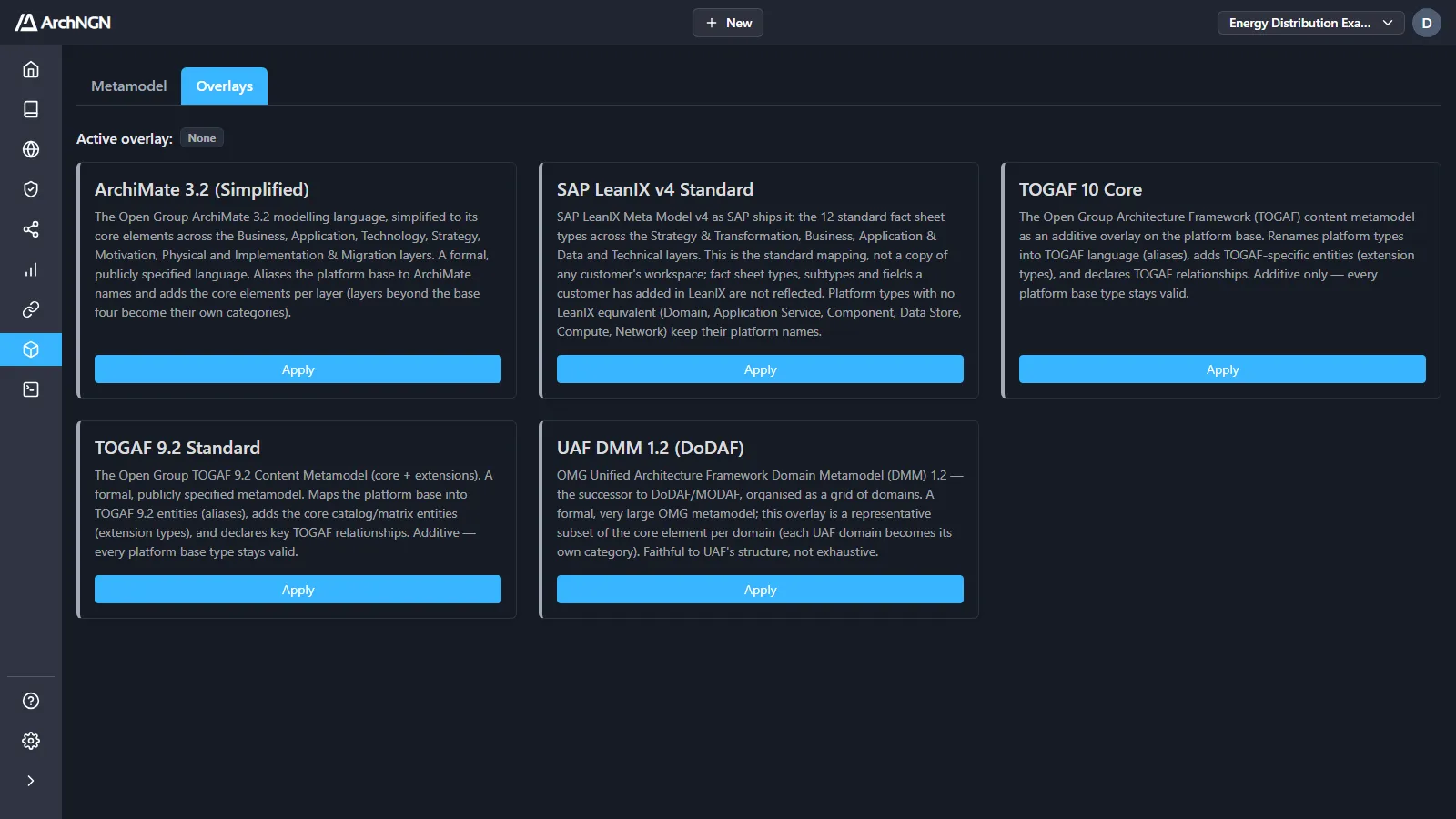
Available overlays
Section titled “Available overlays”| Overlay | What it does |
|---|---|
| ArchiMate 3.2 (Simplified) | The Open Group ArchiMate 3.2 language, simplified to its core elements across the Business, Application, Technology, Strategy, Motivation, Physical and Implementation & Migration layers. Renames the base types to ArchiMate names, and layers beyond the base four become their own categories. |
| SAP LeanIX v4 Standard | The 12 standard fact sheet types of the SAP LeanIX v4 meta model, as SAP ships it. Types and fields a customer added in their own LeanIX aren’t included. Use it to import structures from LeanIX or to speak its language. |
| TOGAF 10 Core | The TOGAF content metamodel: TOGAF names for the base types, TOGAF-specific entities, and TOGAF relationships. |
| TOGAF 9.2 Standard | The TOGAF 9.2 content metamodel, core and extensions, including the catalog and matrix entities. |
| UAF DMM 1.2 (DoDAF) | A representative subset of the OMG Unified Architecture Framework domain metamodel, the successor to DoDAF and MODAF. Each UAF domain becomes its own category. |
Every overlay is additive: it adds names, types and relationships, and every base type stays valid. Active overlay at the top of the page shows which one is applied.
Apply an overlay
Section titled “Apply an overlay”- Open Model → Overlays.
- Click Apply on the overlay you want. If another is already applied, confirm the switch.
Only one overlay applies at a time. The change takes effect at once: the Metamodel page redraws, and the pickers throughout the Repository update. Click Remove to go back to the base metamodel.
Related
Section titled “Related”- Metamodel: the base schema and the effective metamodel.
- Frameworks: policy packs that check the model. They don’t change its schema.