Audit log
ArchNGN keeps two records of what has happened in your account.
Audit log
Section titled “Audit log”Settings → Audit Log is the account’s audit trail: an append-only record of every change made through the platform (creates, updates, deletes, runs and configuration changes), and a sign-in marker per user per day. Actions taken with an API token, such as running a design check or accepting a risk, are recorded the same way and attributed to the token.
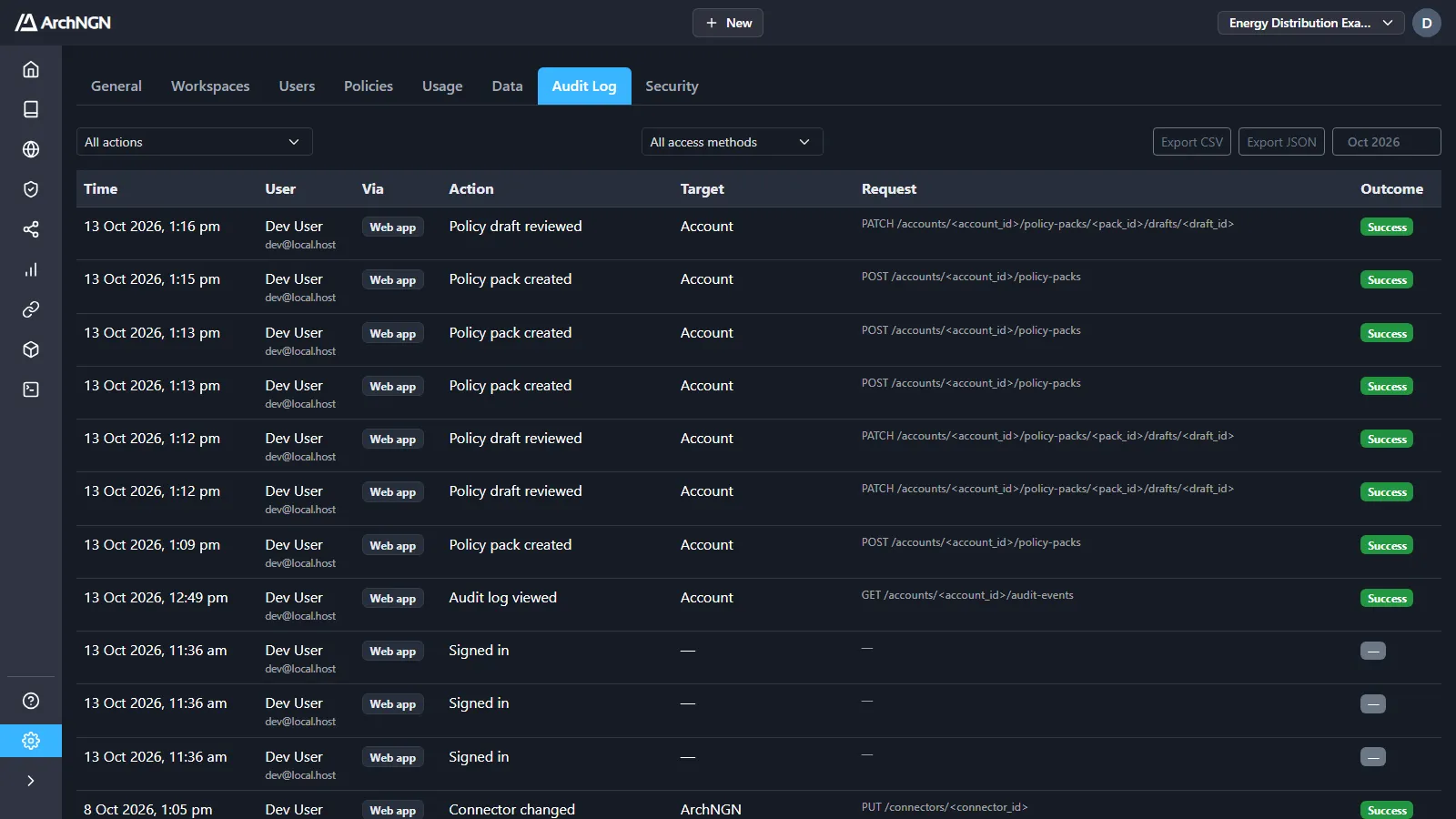
Each event records:
| Column | What it holds |
|---|---|
| Time | When it happened. |
| User | Who did it. |
| Via | How: Web app, REST API, MCP (AI agents) or System. |
| Action | What was done, such as Policy pack created, Connector run or Framework state changed. |
| Target | The workspace or resource it affected. |
| Request | The route it came through. |
| Outcome | Whether it succeeded. |
Filter by action and by access method, and browse month by month. Export CSV and Export JSON download what is shown.
Events are recorded where every request is authorised, so coverage is complete by design rather than relying on each feature to remember to log. Reading the audit log needs the audit:read capability, which admins have.
Audit delivery
Section titled “Audit delivery”Settings → Security delivers the audit log, every day, to object storage you own: JSONL files, one per day, each with a SHA-256 checksum file beside it. Point your SIEM at your own bucket.
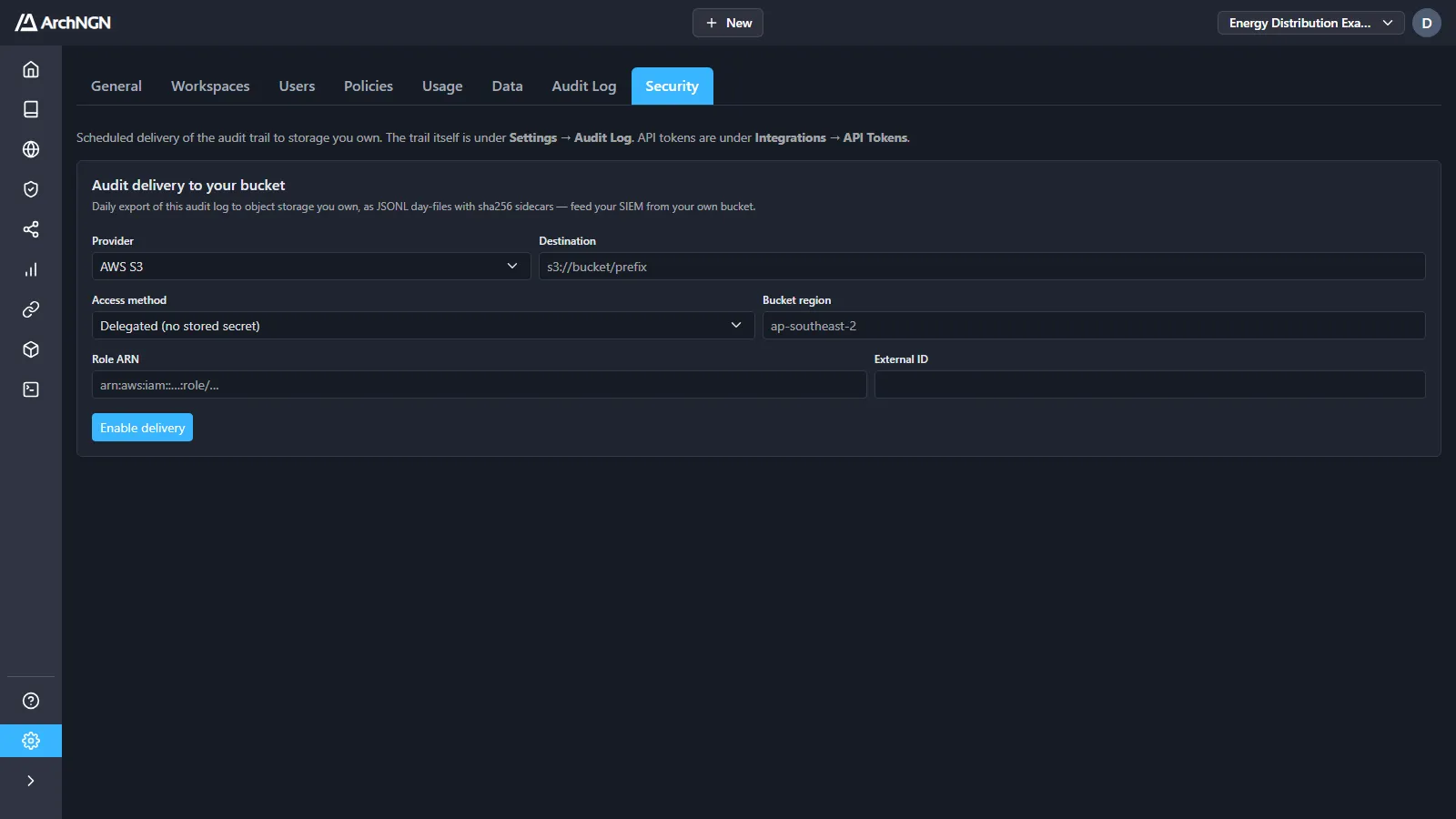
- Choose the Provider: AWS S3, Google Cloud Storage or Azure Blob.
- Enter the Destination bucket or container, and an optional prefix.
- Choose the Access method. Delegated stores no secret: for S3, create a role ArchNGN can assume, as for the S3 connector, using the External ID shown. Stored credential uses a key you enter.
- Click Enable delivery.
To pull the audit log into a SIEM instead, give a collector a token with the audit:read scope. See REST API and tokens.
Account activity
Section titled “Account activity”Jobs → Account is the account-wide run history: every workstream, connector sync, policy drafting, import and export across all workspaces, with who ran it, how long it took and the credits it used. See Jobs.
Retention
Section titled “Retention”Audit events are kept durably. Before an account is ever deleted, its audit trail is copied to a retained ledger, so the record of actions outlives the account. For specific retention requirements, contact support@archngn.com.