Jobs
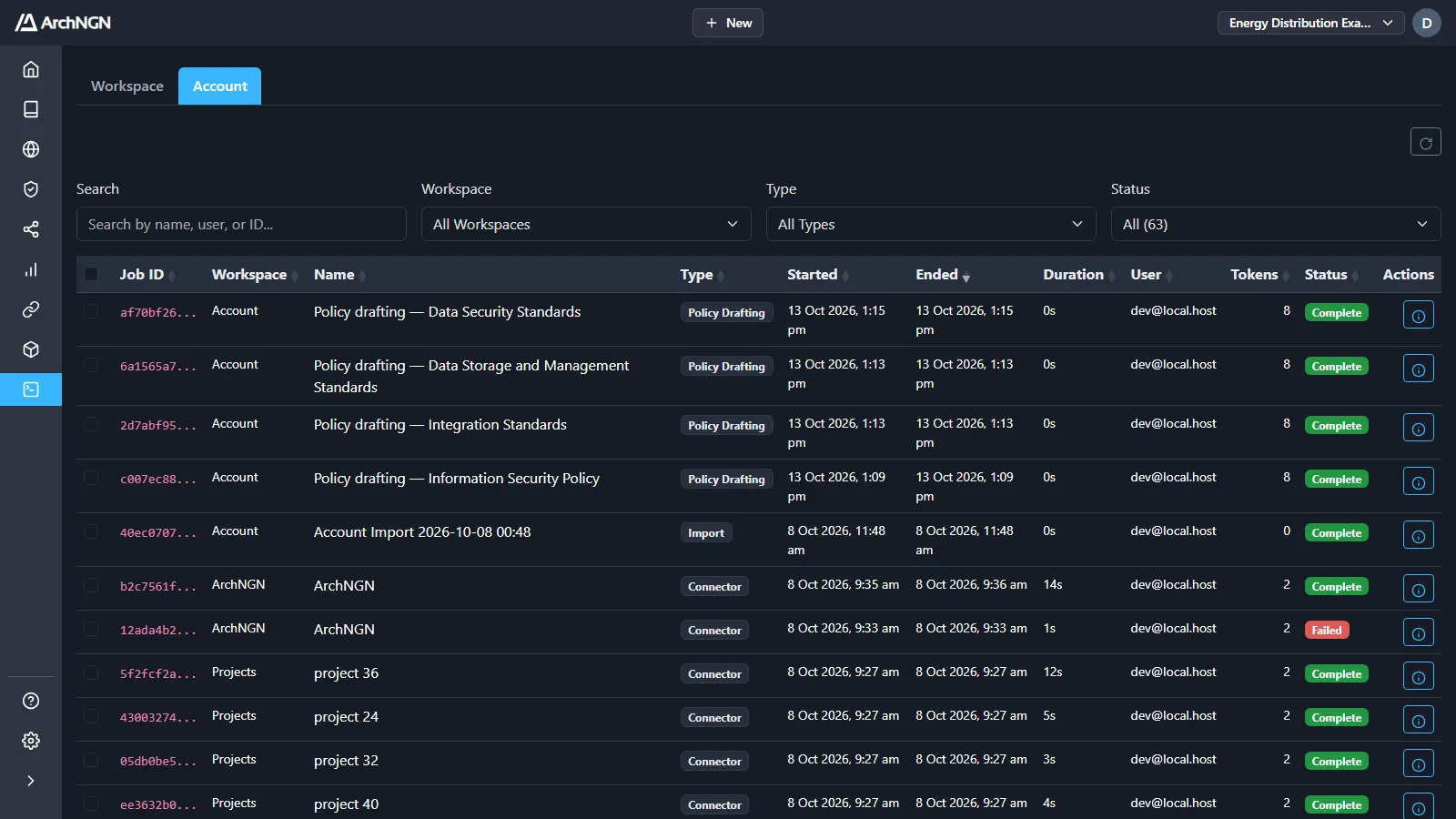
Jobs is the run history for background work. It has two tabs:
- Workspace: every job in the active workspace.
- Account: every job across all workspaces, plus account-level jobs such as policy drafting, import and export. Account admins only.
What creates jobs
Section titled “What creates jobs”| Type | Started by |
|---|---|
| Workstream | A New Technology Design or Technology Design Review. |
| Connector | A connector run, started by hand or on its schedule. |
| Policy Drafting | Drafting rules for a custom policy pack. |
| Import, Export | Workspace data under Settings → Data. |
Statuses
Section titled “Statuses”| Status | Meaning |
|---|---|
| Queued | Accepted, and waiting for a worker. |
| Pending | A worker has picked it up and is preparing it. |
| Analysing | The AI is reviewing the requirements against minimum standards. |
| In Progress | The work is running. |
| Validating | The AI is checking the output against the requirements and standards. |
| Clarifications Required | Paused for a person to answer a question or make a decision. |
| Refining | The AI is applying the answers. |
| Complete | Finished. |
| Failed | Stopped by an error. The details say what went wrong. |
| Cancelled | Cancelled by a person. |
Find a job
Section titled “Find a job”Search by name, user or ID, and filter by type and status. The status filter shows how many jobs are in each state. The Account tab also filters by workspace and shows each job’s credit use. Click a column heading to sort.
Job details
Section titled “Job details”Click a job’s details action to open it.
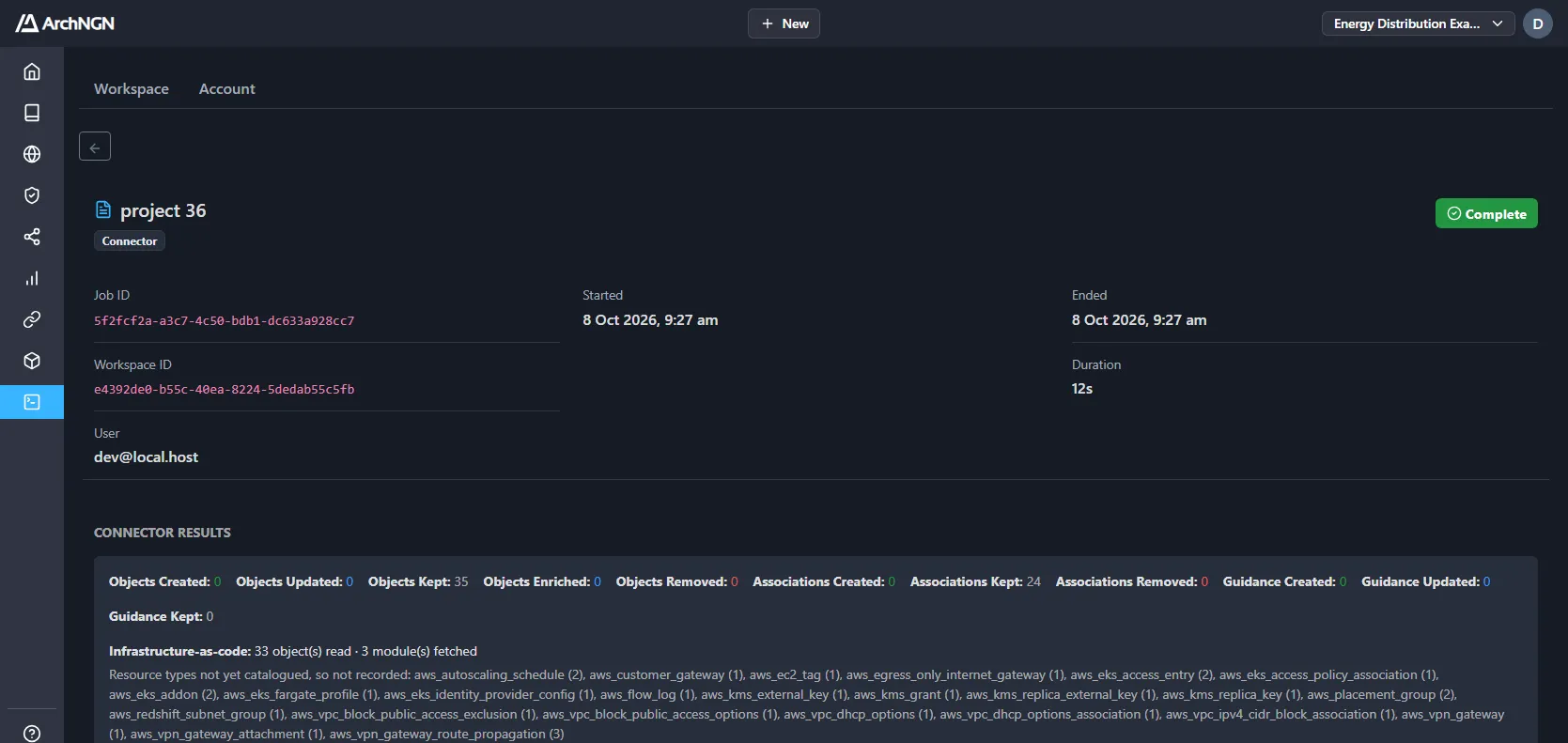
- Every job: its ID, type, status, who started it, when it started and ended, and how long it took. A failed job shows the error.
- Connector runs: what was read (infrastructure as code, CI pipelines, files, submodules) and what was not read, and the objects, associations and guidance created, updated, kept or removed.
- Workstreams: the context used, the requirements traceability and coverage, any clarifications to answer, and the generated document. Download the source documents as a ZIP.
- Export: download the exported archive.
Cancel a queued or running job from its actions. A job is a permanent record: jobs can’t be deleted.