Home
Home is the first page you see after signing in. It answers four questions about the active workspace, in this order, and links each one to the page that answers it in full:
- What needs me?
- What do we have?
- Are we conforming?
- Is ArchNGN working?
Every figure is for the active workspace. Switch workspace with the selector in the top bar and Home follows.
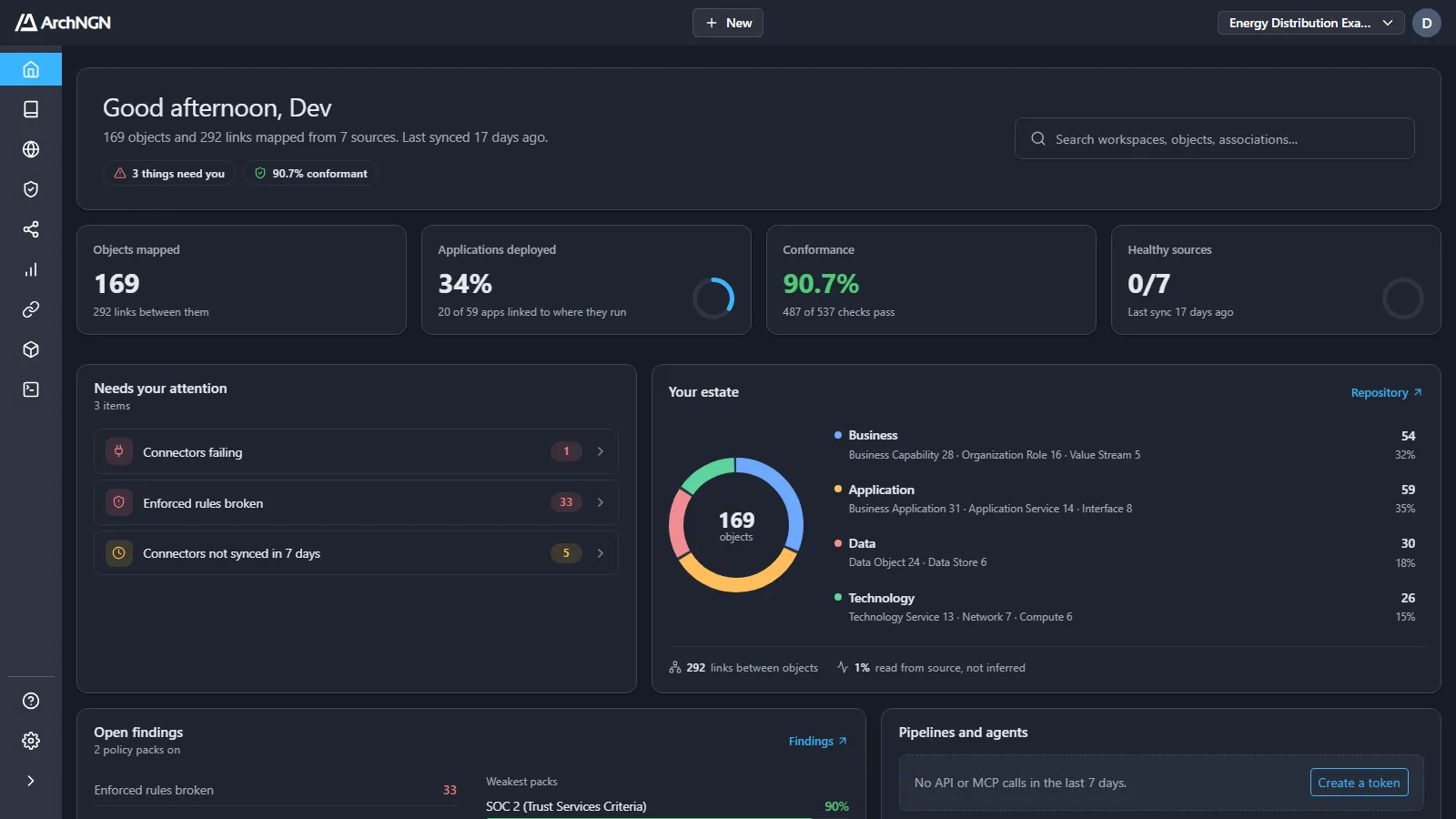
Header
Section titled “Header”The header greets you, says how many objects and links are mapped from how many sources and when they last synced, and shows two badges: how many things need you, and the conformance rate. Search sits on the right. It finds workspaces, objects and associations, the same as Ctrl+K (⌘K on a Mac) anywhere in the app.
Headline figures
Section titled “Headline figures”| Figure | What it shows |
|---|---|
| Objects mapped | Objects in the workspace, and the links between them. |
| Applications deployed | The share of applications linked to the cloud resources they run on. |
| Conformance | The share of policy checks that pass, across every enabled pack, with the trend. Each rule checked against each object it matches is one check. |
| Healthy sources | Connectors whose last run succeeded and is recent, out of all of them, and when the last sync was. |
Widgets
Section titled “Widgets”- Needs your attention: one queue across every area, showing only what has something in it. For example: connectors failing, enforced rules broken, connectors not synced in 7 days, objects missing an owner, description or tags, and objects with no associations.
- Your estate: objects by category (Business, Application, Data, Technology) and type, the links between them, and how many links were read from source rather than inferred.
- Open findings: enforced rules broken, advisory warnings and accepted risks, and the weakest packs by conformance. Opens Findings.
- Pipelines and agents: API and MCP calls in the last 7 days. With none yet, it offers Create a token. See Design checks.
- This week: what syncs added, changed and removed in the last 7 days.
- Sources: connectors that are healthy, failing, stale or inactive, and jobs running and queued.
- Plan usage (account admins): credits used this month, and objects stored against the plan. See Usage.
A widget with nothing in it says so in one line, with one action. A new workspace offers Connect a source and Choose policies until each is done.
Who sees what
Section titled “Who sees what”Every member sees Home. Links to pages you can’t open are shown as plain text.
Related
Section titled “Related”- Findings: the conformance trend and every open finding.
- Connectors: the sources behind the estate figures.
- Repository and Explorer: what the workspace holds.