Usage
ArchNGN measures AI work in credits. Credits are charged when a workstream, a connector run, a deep design check or policy drafting runs. Your plan, its limits and your usage are under Settings → Usage.
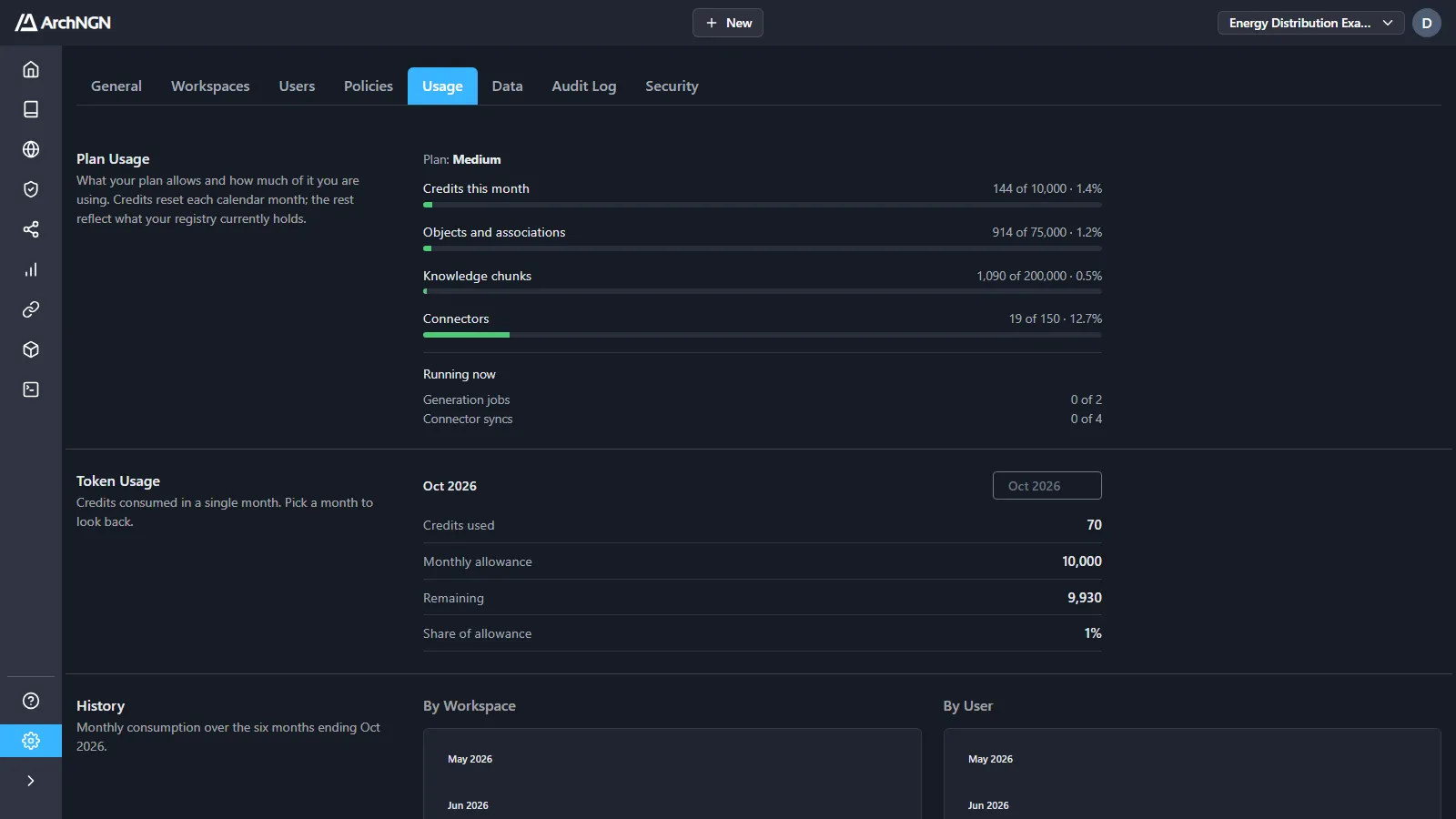
Plan usage
Section titled “Plan usage”What your plan allows and how much of it you are using:
| Limit | What it counts |
|---|---|
| Credits this month | Credits used against the monthly allowance. Resets each calendar month. |
| Objects and associations | What the account’s model holds now. |
| Knowledge chunks | Indexed guidance and document passages. |
| Connectors | Connectors across every workspace. |
| Running now | Generation jobs and connector syncs running at once, against how many may run in parallel. |
Token usage and history
Section titled “Token usage and history”Token Usage shows one month: credits used, the monthly allowance, what remains, and the share of the allowance used. Pick a month to look back.
History shows the six months to that month, by workspace and by user.
Your own usage this month is also in the menu under your avatar.
What each service costs
Section titled “What each service costs”Each service has one fixed price, whichever cloud or model runs it.
| Service | Credits |
|---|---|
| New Technology Design workstream | 64 |
Technology Design Review (including a review from the API or MCP) | 48 |
| Policy drafting | 8 per source document |
| Connector run | 2 |
| Deep design check | 1 |
You don’t choose a model or a reasoning level. ArchNGN runs each service at a fixed capability level: designs, reviews and policy drafting on the provider’s most capable model, connector runs and design checks on a standard one. See AI model providers.
What is free
Section titled “What is free”- Fast design checks: the structural gate a pipeline runs on every commit. No AI, no cost, and it keeps running when the allowance is used up.
- Policy checks: findings, conformance and enforcement run a pack’s rules deterministically, with no AI. Only drafting a pack costs credits.
- Unchanged scheduled syncs: a scheduled repository sync that finds no new commits doesn’t run, and costs nothing.
- REST API and MCP reads: standards, components, the metamodel and context search. Charging for architecture context would discourage the thing the platform exists to encourage: asking the model before building. Reads are bounded by rate limits instead.
- Indexing and search: embedding what you create, and retrieving it for a job, is covered by the work that triggers it.
When the allowance runs out
Section titled “When the allowance runs out”The allowance is checked before billable work starts, so a job that can’t be paid for is refused up front with a clear message, rather than failing part-way. Policy drafting shows its total before you start.
- A deep design check that can’t be afforded falls back to the free fast check, says so, and charges nothing.
- A design review is refused outright rather than quietly downgraded. It is an explicit request for a document, and returning something smaller would be worse than saying no.
- A refused scheduled connector run is recorded in its history and tried again at the next interval.
To change your allowance, contact your account administrator. An account with no allowance set is unlimited.