Introduction
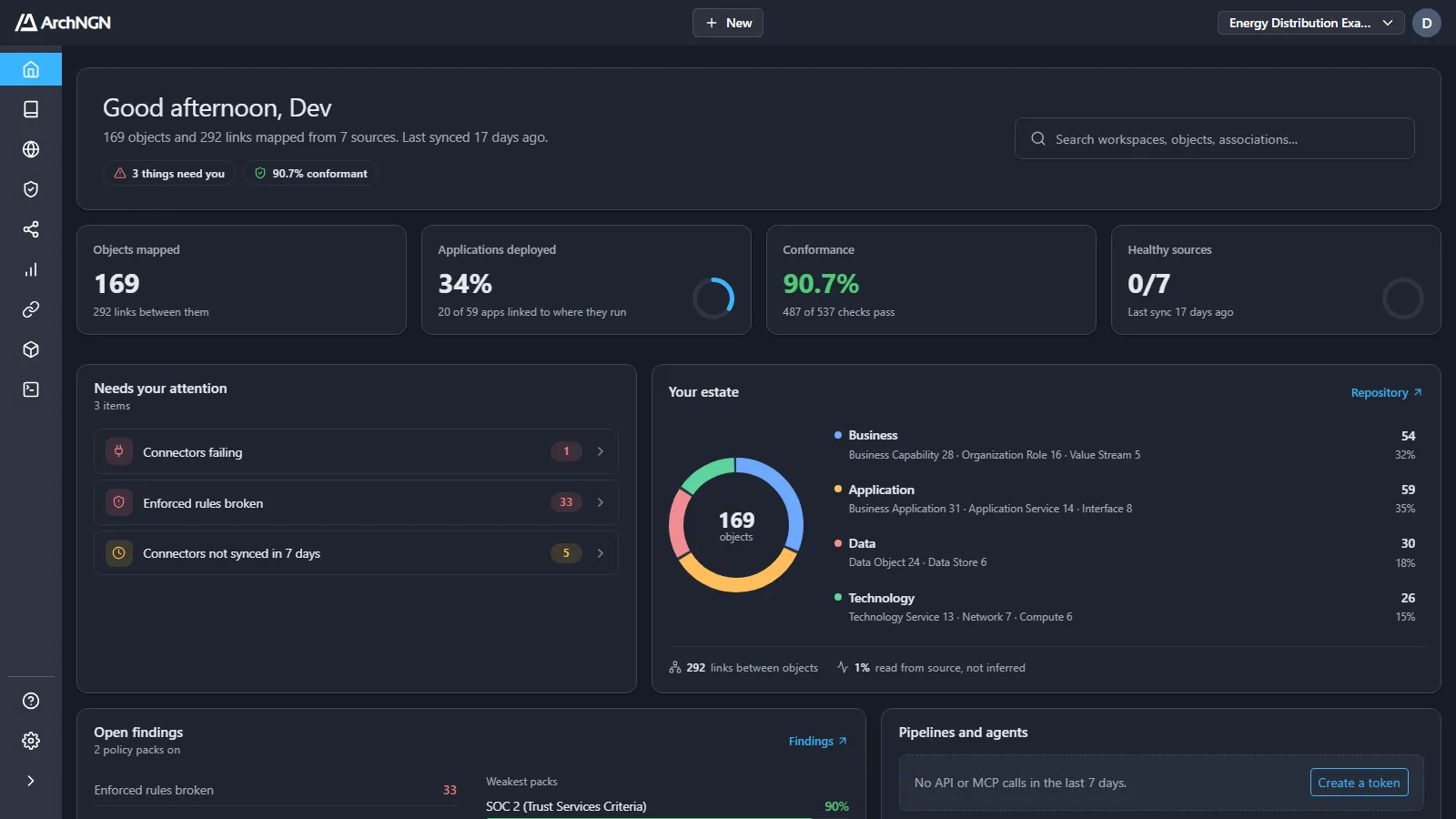
ArchNGN sits between your standards and everything you build. It reads your repositories, cloud accounts and documents into a live model of your estate, checks that estate against the policy packs you enable, and checks every new design and change against the same standards before it ships.
Main concepts
Section titled “Main concepts”These concepts appear throughout the app and these docs.
Account
Section titled “Account”An account is your organisation’s tenant: an isolated container for members, workspaces and data. Account admins manage members, roles, policies and account-wide settings under Settings.
Workspace
Section titled “Workspace”A workspace holds one model of an estate: its objects, associations, connectors and jobs. Teams use workspaces to separate domains, lines of business or clients. Everything in the sidebar above Settings acts on the active workspace.
Objects and associations
Section titled “Objects and associations”Objects are the things in your estate: applications, services, interfaces, data stores, cloud resources, capabilities and roles. Associations are the directional links between them. Each association says whether the platform observed it, a person stated it, or the platform inferred it.
Repository and Explorer
Section titled “Repository and Explorer”The Repository lists the model as tables: Objects, Associations, the Reference Library of standards and decisions, and the Glossary. The Explorer shows the same model as graphs: the whole workspace, one object and its neighbours, or the context an AI is given.
Connectors
Section titled “Connectors”Connectors build and refresh the model. Connect Git repositories (GitHub, Azure DevOps, GitLab, Bitbucket), document stores (SharePoint, Amazon S3, Azure Blob Storage, Google Cloud Storage) or cloud accounts (AWS, Azure, GCP). They run when you start them, or on a schedule you set.
Policies
Section titled “Policies”Policies are the standards the estate is checked against. Frameworks are ready-made packs for standards such as ISO 27001, SOC 2 and GDPR. Custom policy packs turn your own policy documents into checks. Packs are enabled for the whole account, under Settings → Policies, and each is Advisory or Enforce.
Governance
Section titled “Governance”Governance shows how the active workspace measures up. Findings lists what is out of line now. Exceptions lists every risk someone accepted, with who, why and until when. Checks is the history of design checks that pipelines and coding agents ran.
Design checks, API and MCP
Section titled “Design checks, API and MCP”Design checks grade a proposed change against your standards and the model before it merges. They run from a CI pipeline through the REST API, or from an AI coding agent through the MCP server, which also gives the agent your architecture and standards before it writes code.
Workstreams
Section titled “Workstreams”Workstreams generate a new technology design from your requirements, or review an existing one, grounded in the workspace’s model and standards. Each run is a job you can follow under Jobs.
The Metamodel defines the object types and relationships a workspace can use, across Business, Application, Data and Technology. Overlays present it in the language of a framework such as TOGAF, ArchiMate or SAP LeanIX.
Reports
Section titled “Reports”Reports give stakeholder views of the model: the Application Register, Lifecycle Radar, Interface Flows and Hierarchy Map.
Who it is for
Section titled “Who it is for”| Role | How ArchNGN helps |
|---|---|
| Enterprise architects | Keep one live model of the estate and hold it to the organisation’s standards. |
| Solution architects | Design against what exists and what is allowed, and prove a design conforms. |
| Platform and DevOps engineers | Gate pipelines on the architecture, so a breach of a standard surfaces at build time, not in review. |
| Security and risk teams | See conformance to ISO 27001, SOC 2, GDPR and your own policies, and every accepted risk with its reason and expiry. |
| Engineering leaders | See what depends on what, what is deployed where, and what is out of line. |
Ready to start? Head to Getting started.